Search for a sitemap example and the same page turns up again and again: a six-line XML snippet, a link to the sitemap protocol, and the cheerful instruction to submit the file and wait. The syntax on those pages is usually correct. The thinking behind it often isn't.
The standard advice says list every page your site can generate, because more URLs mean more chances to appear in search. On a real small business site that produces a file of four hundred addresses, most of them tag archives, paginated duplicates, filtered product lists and a staging page somebody forgot to delete. A crawler reads the file, finds a heap of near-identical pages at the bottom of it, and learns nothing useful about which pages matter.
A sitemap isn't an inventory. It's a shortlist of the URLs you'd defend if a customer asked why each one exists, and its job is to make discovery straightforward for a crawler with thousands of other sites to visit today. What follows is a complete, copyable file for a UK plumbing business, a breakdown of every element in it, and the filtering rule that decides which URLs earn a place in yours.
Table of Contents
A Complete XML Sitemap Example
The file below is a complete sitemap for a fictional plumbing firm serving Leeds and Harrogate. Eight URLs, each one absolute, each date tied to a real page change, and no hints Google ignores.
<?xml version="1.0" encoding="UTF-8"?>
<urlset xmlns="http://www.sitemaps.org/schemas/sitemap/0.9">
  <url>
    <loc>https://www.example-plumbers.co.uk/</loc>
    <lastmod>2026-02-14</lastmod>
  </url>
  <url>
    <loc>https://www.example-plumbers.co.uk/services/emergency-plumbing/</loc>
    <lastmod>2026-02-14</lastmod>
  </url>
  <url>
    <loc>https://www.example-plumbers.co.uk/services/boiler-repair/</loc>
    <lastmod>2026-01-27</lastmod>
  </url>
  <url>
    <loc>https://www.example-plumbers.co.uk/services/bathroom-installation/</loc>
    <lastmod>2026-02-03</lastmod>
  </url>
  <url>
    <loc>https://www.example-plumbers.co.uk/locations/leeds/</loc>
    <lastmod>2026-01-19</lastmod>
  </url>
  <url>
    <loc>https://www.example-plumbers.co.uk/locations/harrogate/</loc>
    <lastmod>2026-01-19</lastmod>
  </url>
  <url>
    <loc>https://www.example-plumbers.co.uk/guides/boiler-service-frequency/</loc>
    <lastmod>2026-01-08</lastmod>
  </url>
  <url>
    <loc>https://www.example-plumbers.co.uk/contact/</loc>
    <lastmod>2026-02-14</lastmod>
  </url>
</urlset>
Homepage, three service pages, two location pages, one guide, and contact. Copy it as it stands and you have a valid file for a firm of this size. It stays valid only while those addresses stay live and return the page you meant to list.
Three edits make it yours. First, replace the domain in every loc line with your own, including https and the www (or the host you serve). Second, swap the paths for your real pages and keep the trailing slash the same way the site serves them. Third, set each lastmod to the date a visitor would notice a change on that page, not the date you saved the file.
Where it lives. Upload it as sitemap.xml at the root of your domain. A hand-written file of this length suits a site of about ten to thirty pages. I would publish these eight canonical URLs rather than a CMS dump of every tag, filter and leftover draft the system can emit. On a larger site, write this shortlist first, then check it against the generated file and drop anything that is not a page you would send a customer to.
What Each Element in the Example Means
Five elements appear in the file, and each does one job. The table also lists priority and changefreq because older templates still print them. They are not in the example.
| Element |
Required? |
What it contains |
Example value |
| XML declaration |
Required |
States the XML version and character encoding for the whole file |
<?xml version="1.0" encoding="UTF-8"?> |
| urlset |
Required |
The root container that wraps every URL and declares the sitemap 0.9 namespace |
<urlset xmlns="http://www.sitemaps.org/schemas/sitemap/0.9"> |
| url |
Required |
One entry per indexable page; repeat for every URL you want discovered |
<url>...</url> |
| loc |
Required |
The absolute canonical URL of the page |
https://www.example-plumbers.co.uk/services/boiler-repair |
| lastmod |
Optional |
Date the page last changed substantively, in W3C format |
2026-02-10 |
| priority |
Optional |
Relative importance hint from 0.0 to 1.0, still common in older templates |
0.8 (better left out) |
| changefreq |
Optional |
Update frequency hint such as daily or weekly, still common in older templates |
weekly (better left out) |
loc is where files break. It must be the fully qualified canonical address of the page: https included, the correct domain, and the same trailing-slash convention the site uses everywhere else. A sitemap should contain only the site's canonical, indexable URLs that the business wants discovered, using absolute addresses rather than relative paths, as Google's guide to building a sitemap sets out. Any ampersand inside a loc value has to be written as &, because a bare & makes the file malformed and the whole submission fails to parse.
That rule is also how you keep the file small. A filter URL, a session parameter, or a near-duplicate of a page already listed does not earn a url block, however easily a CMS can emit one. An accurate shortlist of canonical pages beats a dump of every address the system can generate.
lastmod is a promise, not decoration. The value is a W3C date such as 2026-02-10, and it should change only when the page changes in substance. Stamping every URL with today's date is the most common self-inflicted wound in this file, because it teaches Google to distrust the field across the whole site.
Practical rule: an honest date that's three months old is worth more than a fresh date that's a lie. Google uses lastmod to decide when to come back, so protect its credibility.
priority and changefreq should go. Google ignores both, so they add no ranking value, no crawl value, and no explanatory value. I would leave them out unless a required tool or an inherited template insists.
The wrappers finish the job. The XML declaration fixes UTF-8 encoding for the whole file, which matters the moment a business name contains an accent. urlset declares the sitemap 0.9 namespace so the parser knows the vocabulary. Each url block wraps one page.
The practical test: if you can add a new service page by copying an existing url block, changing loc and lastmod, and leaving everything else alone, you understand the format.
Why an XML Sitemap Matters
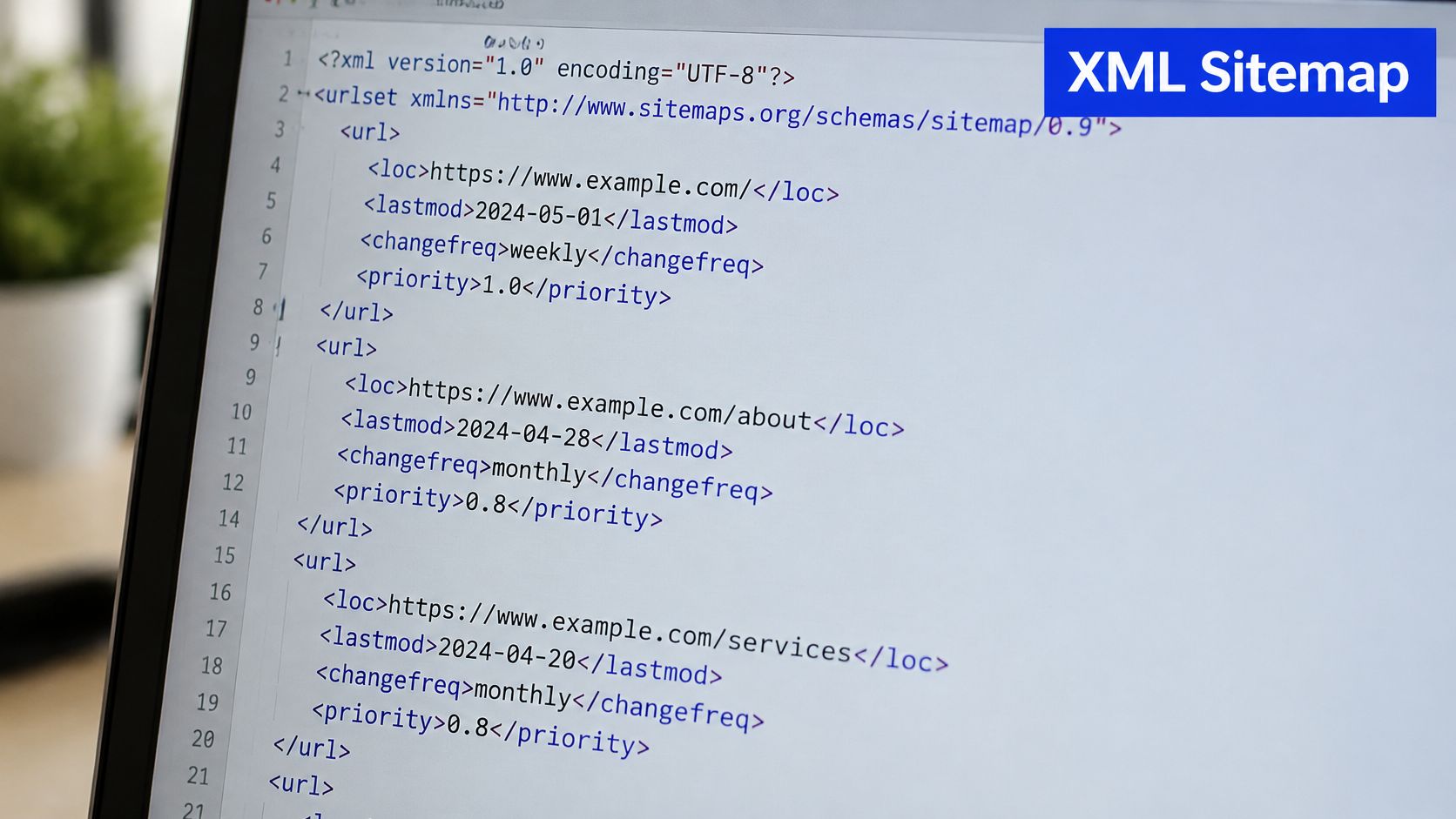
An XML sitemap is a machine-readable list of the pages you want crawled, kept at a predictable address such as /sitemap.xml, so a crawler can read your preferred URLs in one pass instead of guessing at them through links.
A submitted file sitting on a server looks unremarkable, and that's rather the point: it's plumbing, not presentation.
The four situations where it earns its keep
A new site with few links. Nothing on the wider web points at your pages yet, so the sitemap is often the only reliable path a crawler has to them. This is the case where the file does the most work.
Weak internal linking. Valuable pages sit three clicks from the homepage, or are linked only from a footer. The sitemap puts them back in front of the crawler regardless of how the navigation treats them.
Fast growth. A firm adding service and location pages monthly doesn't want to wait for internal links to catch up. Adding each new URL to the file flags it immediately.
A site move. A fresh file of new addresses, paired with redirects from the old ones, gives Google a clean route to the new structure.
What a sitemap can't do
It cannot guarantee crawling, and it certainly cannot guarantee indexing. Submission is a request, not an instruction, and Google decides for itself whether a URL is worth fetching and whether the page is worth showing. It also cannot rescue a page that's thin, duplicated, blocked by robots or marked noindex, because those are decisions made elsewhere on the site.
For a small business, the effort is roughly an afternoon once and a couple of minutes a month afterwards. The upside is that your best pages stop relying on luck. If you want a field-by-field second opinion before you build yours, Silva Marketing's sitemap best practices walk through the same rules from a practical angle.
Which URLs Belong in a Sitemap and Which to Leave Out
The rule fits in a line: a sitemap contains only canonical, indexable URLs that return HTTP 200 and that you actively want Google to index. Everything else is either noise or a contradiction.
That operational question, which URLs belong and which should be excluded, is exactly where most sitemap example pages stop short. Useful XML sitemap guidance from SEO Handbook makes the same point from the other direction: canonical, indexable URLs returning HTTP 200 belong in the file, while redirects, duplicates, noindex pages, search results and thin location pages generally don't.
| Page type |
In the sitemap? |
Reason |
| Homepage |
Include |
Canonical, indexable and returns HTTP 200 |
| Service pages |
Include |
Each targets one search intent and converts |
| Location pages with unique content |
Include |
Distinct information for each area served |
| Guides and blog posts |
Include |
Indexable content worth discovering |
| Contact and about pages |
Include |
Canonical pages people and crawlers look for |
| Redirected URLs |
Exclude |
List the destination URL instead of the redirect |
| noindex or blocked pages |
Exclude |
The file must not contradict the page directive |
| Internal search results |
Exclude |
Thin, duplicated and meant to stay out of search |
| Staging or draft URLs |
Exclude |
Not live; submitting them leaks work in progress |
| Near-duplicate location pages |
Exclude |
Consolidate into one stronger page per area |
Why each exclusion matters
A redirect should be represented by wherever it lands, not by the old address, because the file's job is to describe pages that exist now. Listing a noindex page sets the file against the page's own directive, and Google will side with the page. Internal search results multiply into thousands of thin duplicates that no one wants in an index.
Where a page has a canonical tag pointing at a different address, the canonical version is the one that belongs in the file, never the variant. Staging addresses are the worst of the set: they expose work in progress to anyone who reads your sitemap.
Check what your CMS produced
Most platforms generate a sitemap automatically, which is convenient right up to the point where it ships tag archives, author archives, paginated duplicates and attachment pages. The fix isn't to abandon the plugin. It's to read the generated list line by line against the table above and exclude what shouldn't be there.
A sitemap isn't a place to store URLs you're unsure about. It's a place to state which ones you're sure of.
Twelve strong URLs tell Google more about your site than four hundred shaky ones. A smaller, accurate file beats a dump of everything the CMS can generate, because the crawler can see the shape of the site instead of a heap of near-identical pages. That's the contrarian conclusion worth acting on, and it holds whether your site has twenty pages or two hundred.
Before touching the XML, audit your URL list against the table: open the site in a browser, click through every page you'd expect to find, and note which ones redirect, which carry a noindex directive and which repeat the same content under a different town name. For the mechanics of splitting files and keeping canonicals straight across them, Up North Media's sitemap index and canonicalization tips cover the ground well. Editing the file takes minutes once the list is settled.
When One Sitemap File Is Not Enough
A single sitemap file has a hard ceiling set by the sitemap protocol. It's generous enough that a firm with thirty pages will never come close, so the honest answer for most readers is that one file is entirely sufficient and the index pattern is something to file away for later.
Escalation is straightforward when you need it. Split the URLs across several child files, then reference each one from a sitemap index, which lists every child file with its own loc and lastmod.
<?xml version="1.0" encoding="UTF-8"?>
<sitemapindex xmlns="http://www.sitemaps.org/schemas/sitemap/0.9">
  <sitemap>
    <loc>https://www.example-plumbers.co.uk/sitemap-pages.xml</loc>
    <lastmod>2026-02-14</lastmod>
  </sitemap>
  <sitemap>
    <loc>https://www.example-plumbers.co.uk/sitemap-locations.xml</loc>
    <lastmod>2026-02-03</lastmod>
  </sitemap>
</sitemapindex>
Note the different root element. An index uses sitemapindex and sitemap rather than urlset and url, which is the one structural difference that trips people up when they first build one.
The GOV.UK publishing platform is the clearest UK example of this pattern in public. Its sitemap index is divided into multiple numbered XML files, including sitemap_2.xml, sitemap_5.xml, sitemap_17.xml, sitemap_18.xml, sitemap_28.xml, sitemap_31.xml, sitemap_34.xml and sitemap_35.xml, according to the GOV.UK publishing guidance on sitemaps. Those files carry URLs for guidance, statistics, news and publications, and individual entries hold a URL, a last-modified timestamp and a priority value such as 0.5, 0.29 or 0.125.
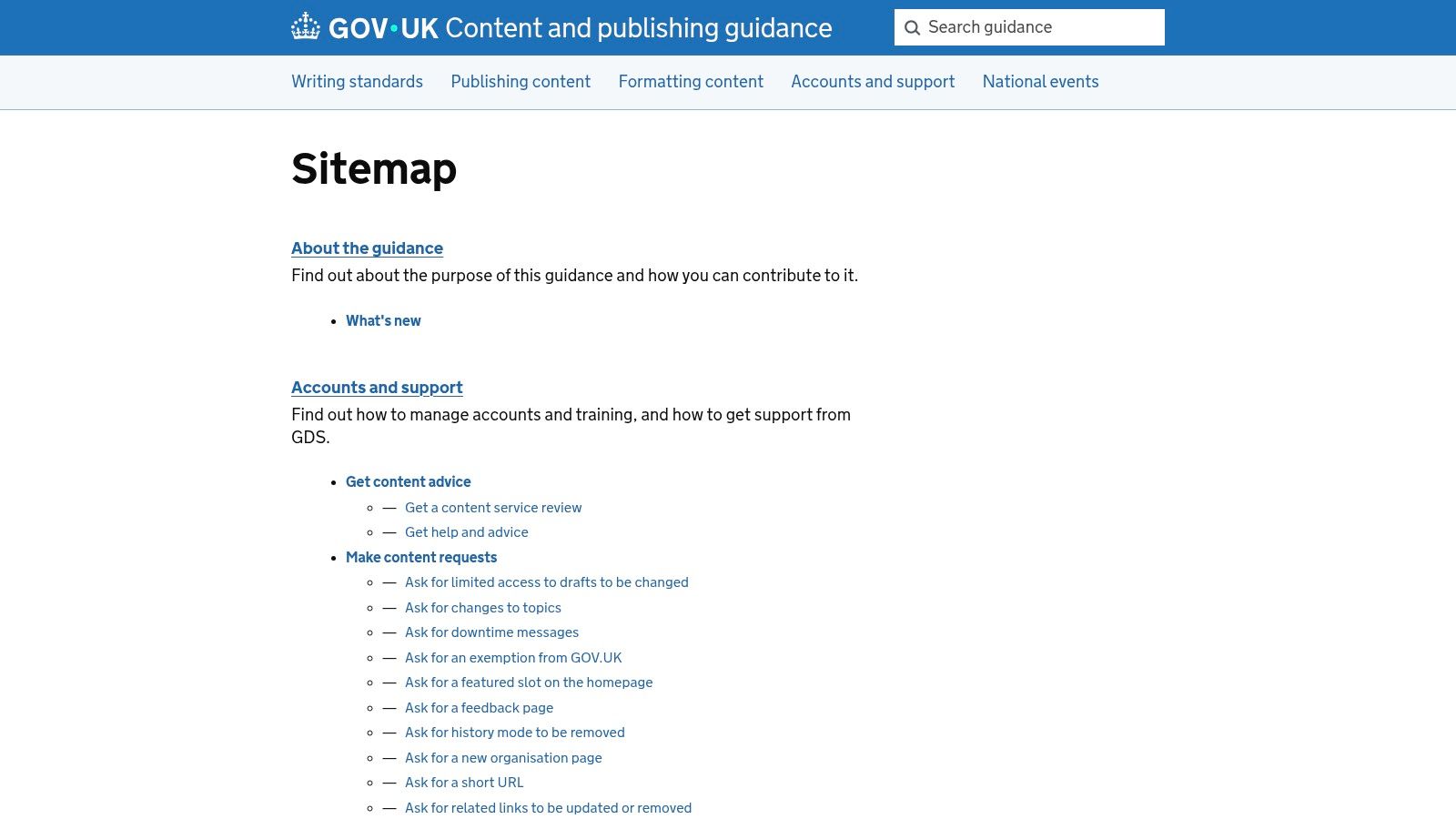
That's a site too large for one file, organised by the only means available. A plumbing firm with three service pages and two towns has nothing in common with it except the format.
For a growing business, the sensible split is by content type. One file for pages, one for blog posts or guides, one for location pages. Adding a fourth town later means editing one child file, not regenerating everything.
The structure grows with the site without changing how submission works. You submit the index address instead of the single file, and Google follows the references itself. Nothing about the earlier advice changes: the shortlist rule applies to every child file exactly as it applied to the original.
How to Create and Submit Your Sitemap
A useful sitemap is a short list of canonical URLs, not every address a CMS can emit. The procedure runs from a generated file to a confirmed submission, and each step exists to catch a specific failure. Submission takes a minute once the file is right.
1. Generate the file. Most platforms publish one automatically at /sitemap.xml, and a hand-built site can copy the example above. Either route works, provided you know which URLs ended up inside it. A generator you did not inspect is just a stranger's opinion about your site, which is how parameter URLs and empty archives slip in.
2. Filter it. Apply the include and exclude rules so the output does not ship noindex pages, redirected addresses or thin archives. This is the step that separates a useful file from a long one, and it is the step almost everyone skips. If a page would embarrass you as a search result, it does not belong in the list. A smaller file of canonical pages beats a full dump.
3. Check it in a browser. Open https://www.example-plumbers.co.uk/sitemap.xml in a private window. It should render as clean XML with no error text above the first tag, and every URL listed should return a 200 response when you visit it. A stray ampersand or a hidden whitespace character before the XML declaration will break the parse, and the browser shows you that immediately. Skip this and you submit a file Google cannot read.
4. Declare it in robots.txt. Add one line at the end of the file: Sitemap: https://www.example-plumbers.co.uk/sitemap.xml This tells any crawler that reads robots.txt where the file lives, without waiting for a submission to be processed. Keep it on a single line with a capital S and a full absolute address, because the line is parsed exactly as written. A relative path, or a lowercase s, is ignored.
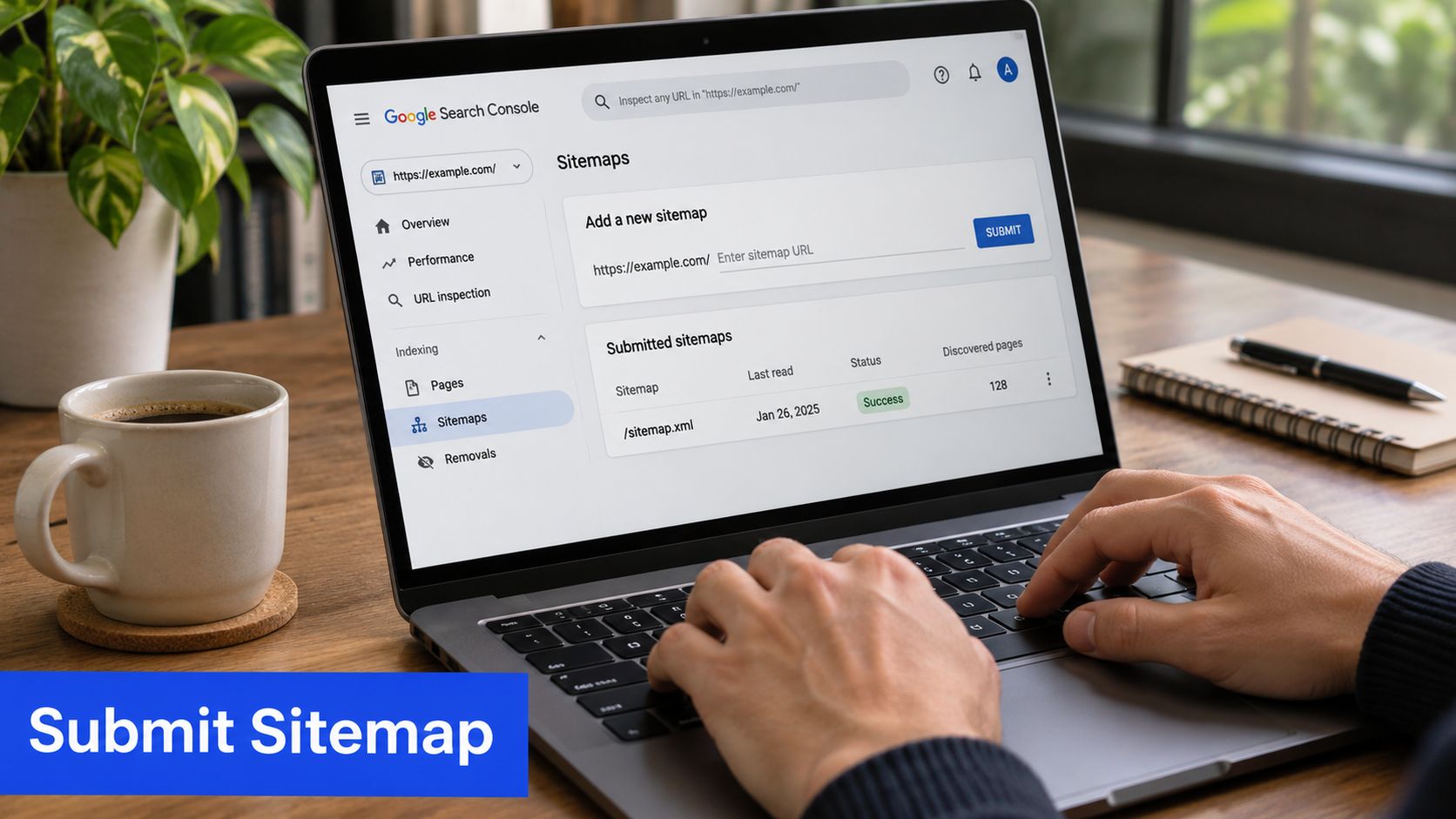
5. Submit it in Google Search Console. Open the Sitemaps report, paste the address and submit. Add the same file to Bing's webmaster tools if a meaningful share of your audience searches there, since the effort is seconds and the file is already built. Without that paste, those engines have only the robots.txt hint.
Resubmission isn't a monthly chore. Google re-reads the file on its own schedule, so submit again only when the file changes materially, such as a batch of new service pages or a restructure.
If you'd rather not hand-build the XML, a small utility can generate one and save you the formatting risk. You can browse SubmitMap on IndieTool before you write anything by hand, though the filtering decision stays yours either way. A generator will not know which pages are canonical.
What done looks like. The sitemap address renders as clean XML in a browser, every listed URL returns 200, the robots.txt line is live, and Search Console shows the file as submitted with no errors against it. That is the whole of the setup work. A clean submission still does not guarantee discovery. It only puts the shortlist where a crawler can find it.
How to Check Google Is Actually Using It
Submission is the start of a routine, not the end of a task. The check takes about ten minutes a month once you know where to look.
Read the Sitemaps report first. It shows the file's status, the date Google last read it and the number of URLs discovered. A file marked Success with a recent read date is fine. A file that hasn't been read in months, or one that reports errors, needs attention before anything else.
Then open the Pages indexing report. Compare what you submitted with what's indexed. Expect a gap, because noindex directives, redirects, duplicates and quality filters legitimately hold pages back. Investigate the gap only when it's large and unexplained, or when a page you care about sits on the wrong side of it.
Run the check in reverse
Pages that pick up impressions without appearing in your sitemap are being found anyway, which is good news about the page and bad news about the file. It means the sitemap is out of date and the missing URL belongs in it. Search Console's performance data will show you those pages by name.
If your indexed count climbs while enquiries stay flat, discovery isn't the problem. The pages are.
That's where accessibility and structure come in. An analysis of almost 150,000 UK websites published by Names.co.uk on common accessibility barriers found that about 80% had at least one accessibility issue, with an average of 25 concerns per site. A sitemap can successfully expose a page that a disabled visitor still can't use, and that's a wasted opportunity rather than a technical win.
So the fifth step is quality, not quantity. If a service page is indexed but brings no enquiries, improve its heading, its title and the internal links pointing at it before adding more URLs. Getting found is only half the job, and the wider question of how businesses get found on Google starts with pages worth landing on.
Log it. One shared sheet, four columns: date, submitted count, indexed count, URLs changed. Three months of entries will tell you more about your site than any tool dashboard, because you'll see the effect of your own edits.
Fixing Sitemap Errors in Search Console
The errors Search Console reports are few and each has a specific cause. Work through them in this order.
| Error |
What it means |
The fix |
| Couldn't fetch |
The sitemap address returns an error, redirects or is blocked |
Load it in a private window and confirm a 200 response at the exact address |
| Has errors or couldn't be read |
The XML is malformed, most often from an unescaped ampersand |
Replace every & inside a loc value with &, then validate |
| Submitted URL not found (404) |
A listed page no longer exists |
Remove the URL from the file or restore the page |
| Submitted URL blocked by robots.txt |
A disallow rule covers a listed URL |
Remove it from the sitemap, or change the rule if it should be crawled |
| Submitted URL marked noindex |
The page carries a noindex directive |
Drop it from the file, or remove the directive if it should rank |
| Sitemap is HTML |
The address serves a web page rather than XML |
Check what's responding at the sitemap path, since a plugin or cache layer is often serving a template |
The pattern behind most of these is a contradiction. The file says one thing and the page says another, and Google resolves that in favour of the page. Fixing the contradiction, rather than the file alone, is what clears the error and keeps it cleared.
One detail worth knowing: a Couldn't fetch error often appears for a domain that resolves with www while the submitted address omits it, or the reverse. Submit the version you serve.
Resubmit only after the fix is live. Google recrawls on its own schedule, so give it a few days, then reopen the Sitemaps report and confirm the error has cleared. If it hasn't, the fix probably didn't reach the live site, which is worth verifying in a private window rather than in a logged-in browser.
Sitemaps for Multiple Locations, Languages and Migrations
Three situations ask more of a small business sitemap than a single clean file, and each has a specific discipline.
Several towns or regions
List one strong page per town you serve, each with distinct content: local projects, response times, the areas covered, and the questions people in that town ask. Resist generating a page for every place name on the map, because a file full of near-duplicate location pages weakens the whole list. If two towns share identical content, merge them into one regional page and keep the file honest.
Language and regional variants
Welsh-language pages on an English site are the common UK case, and they belong in the same file, marked with xhtml:link annotations inside each url entry. Google permits an XML sitemap to identify language and regional alternates this way, with one hreflang link for every variant, including the page itself, as its guidance on localized versions sets out. Every alternate should be fully qualified, mutually reference the others, and remain indexable and canonical.
<url>
  <loc>https://www.example-plumbers.co.uk/services/emergency-plumbing/</loc>
  <xhtml:link rel="alternate" hreflang="en-gb" href="https://www.example-plumbers.co.uk/services/emergency-plumbing/"/>
  <xhtml:link rel="alternate" hreflang="cy" href="https://www.example-plumbers.co.uk/cy/gwasanaethau-plymwr-brys/"/>
  <lastmod>2026-02-10</lastmod>
</url>
To use it, add xmlns:xhtml="http://www.w3.org/1999/xhtml" to the urlset element. Only pair pages that are genuine equivalents for their readers. Two pages that happen to mention different cities but say the same thing are duplicates, not alternates.
Site migrations
A migration needs the opposite discipline to a growing site. Build the new sitemap from the new canonical URLs only, and set a 301 redirect from every old address to its replacement. Never list the redirected old URLs in the new file, because the sitemap describes where pages live now.
A migration sitemap is a statement about the present. Anything that redirects belongs in the redirect map, not the file.
A temporary dip in impressions while Google re-crawls the new structure is normal, and it usually settles once the redirects have been seen. What turns a dip into a collapse is losing the redirects, or shipping a new file that still lists the old addresses.
Your Sitemap Action Plan
Accuracy comes from a habit, not a build. Once a month, do the same six things.
- Compare submitted against indexed pages in the Sitemaps report.
- Prune any URL that now redirects, sits behind a noindex directive or repeats another page.
- Add any live page that's earning impressions without appearing in the file.
- Check that each new service or location page returns 200 before it's listed.
- Record the date, the submitted count, the indexed count and any URLs you changed in one shared sheet.
- Leave the rest alone. Not every month produces a change, and a file that doesn't move is doing its job.
Don't add URLs to make the file look complete. A sitemap that lists every page the CMS can generate buries the pages that matter, and the crawler has to sort through the noise to find them.
A small business can run this check itself in ten minutes a month, or hand it to someone who does it weekly. Operosus builds UK small business websites with the search basics done properly from launch, including the sitemap, structured data, page titles and descriptions, and a redirect from every old address when a site moves. Sites include a separate page for each search, such as a location page for each town a business serves. Owners who would rather have the fundamentals checked than maintained by hand can book the free website review, which looks at search basics including the sitemap.
A sitemap file is only ever as good as the pages behind it, and a shortlist of accurate URLs will always outrun a dump of everything a CMS can produce. Operosus builds UK small business websites by hand, with the search basics in place from launch: page titles, descriptions, structured data and a submitted sitemap, plus a dedicated page for each service and each place customers search. If you'd rather know exactly where your site stands than guess, visit Operosus and book the free review.
