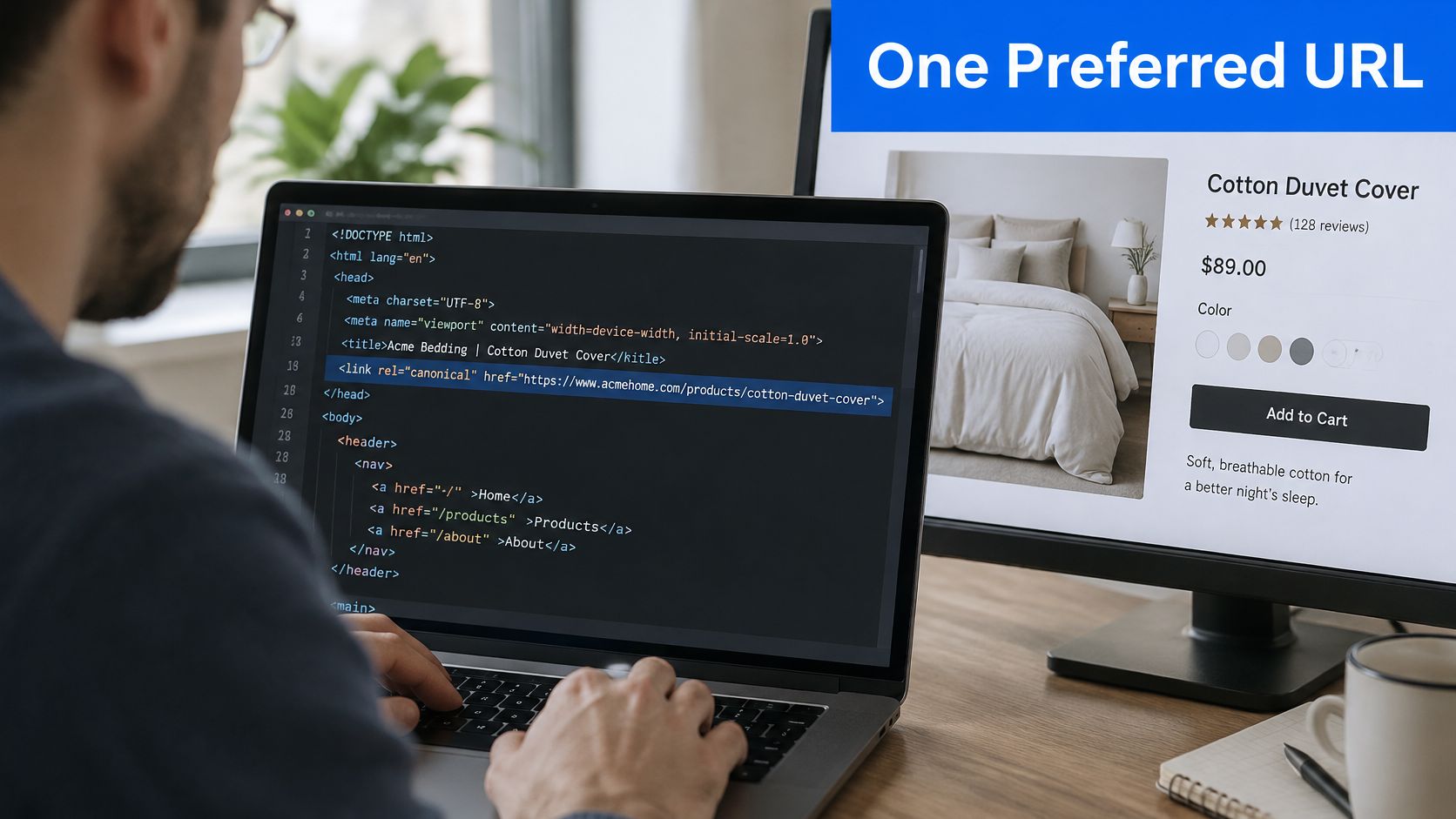
A canonical tag is an HTML element, <link rel="canonical" href="https://www.example.co.uk/preferred-page/">, that names the preferred URL when near-identical content exists at several addresses. It's a strong recommendation rather than a command, so a search engine can choose a different page if other signals point elsewhere.
That distinction catches many UK businesses out after a redesign, an advertising campaign, or a move to a new website structure. The tag looks correct in the code, yet Google indexes a tracked, filtered, or outdated version instead. The fix usually isn't another tag. It's making every signal agree, then checking which URL Google selected.
Table of Contents
What a Canonical Tag Is
Say a heating firm has one boiler-repair page. Customers can reach it through the clean address, an advert with tracking added, and an old address kept during a rebuild. To the firm, it's one service. To a crawler, those are separate URLs carrying almost identical content.
The tag labels one address as the preferred original. A useful picture is several identical shopfronts sharing one named main entrance. The other doors may still open, but the sign tells visitors and search engines which entrance should receive the credit.
Why the label matters
Without a clear choice, links, clicks, and relevance can split across duplicate addresses. With one, those signals pool behind a single canonical URL, giving that page the clearest chance to appear in results. It also reduces confusion when campaign links, print versions, or sorting options create addresses nobody intended to promote.
Adoption is already widespread. In 2026, 68% of desktop pages and 67% of mobile pages were reported as having a canonical tag, according to tools8020's compilation of Web Almanac data. Presence alone, though, says nothing about whether the chosen URL is right.
Practical rule: Treat the tag as a nomination. Redirects, internal links, sitemap entries, and page quality all act as supporting votes.
Anyone asking what is a canonical tag usually needs that nuance before any code. Google may overrule the nomination when the nominated page redirects, returns an error, or looks weaker than another copy. It may also ignore an attempt to force distinct pages into one result.
A sound setup is straightforward. Each duplicate points to one live preferred URL, and the preferred page carries a self-referencing canonical, meaning it points to itself. The sections ahead follow that logic from duplicate discovery through implementation, common faults, migrations, and location pages. They finish with a ten-minute Search Console check that can be run this week.
How Search Engines Choose Between Duplicate Pages
A product page for a linen shirt may be reachable at several addresses: one with a colour filter, another with tracking details, and a clean version linked from the main menu. Google crawls these URLs, compares their content and groups close copies into a duplicate cluster. It then chooses one representative URL to index and show in search.
A page can be crawled without appearing in results because Google has selected another URL from the cluster. The unselected copy is not necessarily broken or penalised. Google may treat it as a duplicate of the representative page.
The signals weighed together
A canonical tag is a strong preference, not an instruction Google must follow. Google also considers whether a URL redirects, which versions the site links to internally, which URLs appear in the sitemap, whether the page uses HTTPS, and how well its content serves the searcher. These signals work together, as Google's guidance on consolidating duplicate URLs explains.
A mixed-signal failure
Suppose the linen shirt's clean product page names itself as canonical, but the sitemap lists a filtered version and site links repeatedly point to URLs with tracking details. Those mixed signals make the preferred address less clear. Google may choose a different version from the one named in the canonical tag.
A canonical is more persuasive when redirects, internal links and sitemap entries support the same URL.
Consolidation can help a representative page benefit from links to duplicate addresses, such as a tracked link shared by a partner or a filtered URL shared by a customer. The aim is for substantially identical pages to be represented by one URL in search.
Similarity alone is not enough. Two products with different specifications or search purposes may deserve separate results, even if their pages share a layout. Canonicalisation is for copies, not a way to merge useful distinctions.
For an inspected URL, Search Console shows Google's selected canonical alongside the canonical declared on the page. Comparing the two reveals whether Google followed the site's preference.
Where Duplicate URLs Come From
Most duplicate URLs are accidents of software, not an attempt to manipulate search. Content systems add parameters, servers accept several host forms, and past versions remain reachable after an update. The content hasn't multiplied. The routes to it have.
Campaigns are a frequent cause. A plumber advertises boiler servicing, and the advert lands on /boiler-service/?utm_source=google. Email software appends its own tracking, while the website menu uses the clean address. Each visit sees the same page, but reports and crawlers encounter multiple URLs.
Everyday small-business causes
A holiday let may add ?date= and ?guests= as visitors search availability. A salon shop may create ?sort=price whenever products are reordered. Filters for colour, size, town, or appointment type can generate combinations faster than anyone can review them.
Server settings create quieter copies. A page may answer with and without a trailing slash, through the www and non-www hosts, or over HTTP and HTTPS. Print views, downloadable price lists, and attachment pages add further versions. After a rebuild, old addresses can remain in Google's index even when the new menu never links to them.
Canonical identity also helps measurement. The GOV.UK GA changelog records that in January 2025, GOV.UK added a canonical URL field to its GA4 data collection, and in February 2025, GOV.UK changed its cleaned page-path field so that it defaults to the canonical URL, with the hostname removed, when available. By September 2025, canonical URL values had been populated for the majority of GOV.UK pages, although many were derived from each content item's base path for analytics rather than added as HTML elements.
That history draws a helpful line. A canonical URL is the preferred identity of a page. A canonical tag is one technical way to communicate that identity to search engines. UK businesses gain cleaner reporting when tracking links don't fragment one page into several apparent pages.
| Cause |
Example |
Recommended handling |
| Campaign tracking parameters |
/boiler-service/?utm_source=google |
Canonical points to the clean /boiler-service/ URL |
| Booking or filter parameters |
/rooms/?date=2026-06-10&guests=2 |
Canonical points to the unfiltered page |
| Trailing slash variants |
/plumbing and /plumbing/ |
Pick one version and use it in canonicals, links and the sitemap |
| HTTP and HTTPS versions |
and |
Canonical and redirects point to the HTTPS version |
| www and non-www hosts |
www.example.co.uk and example.co.uk |
Choose one host, redirect the other and canonicalise to it |
| Print or attachment versions |
/guide/print/ or /price-list.pdf |
Canonical to the main HTML page, or use an HTTP header canonical for the PDF |
| Old URLs after a rebuild |
/services-old/ replaced by /services/ |
301 redirect the old URL and give the new URL a self-canonical |
The handling principle stays consistent. Pick the address a customer should find and share, then point canonicals, internal links, and sitemap entries at that same version. Retired addresses need a different treatment because people, not just crawlers, must be moved.
How to Add a Canonical Tag
Settle the protocol, host and trailing-slash convention before changing any template. For example, choose HTTPS, either www or non-www, and one consistent URL ending. A consistent pattern makes it easier for your site to link to the same preferred address everywhere.
The standard HTML method
- Choose the preferred address. It should load successfully, contain the full content and be the version customers should share. A canonical is a strong preference for search engines, not a command: Google can choose a different URL.
- Add one canonical link to each duplicate. Place
<link rel="canonical" href="https://www.example.co.uk/services/boiler-repair/"> inside the <head>. Each duplicate should point to the same preferred address.
- Add a self-referencing canonical to the preferred page. Its tag points to its own absolute URL. This makes the preferred version clear even if tracking parameters or alternate routes appear later.
- Make internal links and redirects agree with the preferred address. Link to it from your site. Retired URLs should redirect permanently to their replacement.
- Check the initial HTML. View the page source and confirm the canonical appears inside the head before scripts alter the page. A tag added only after JavaScript runs is less reliable.

Use an absolute URL, including the protocol and domain, rather than a path such as /services/boiler-repair/. That gives search engines the complete address to assess.
PDFs and other non-HTML files
A PDF has no <head> for an HTML tag. Instead, the server can send an HTTP Link header with the file response: Link: <https://www.example.co.uk/price-list/>; rel="canonical". This signals that the HTML price-list page is preferred while keeping the PDF available to download.
| Method |
Best for |
How it works |
| HTML link tag |
Standard web pages |
<link rel="canonical" href="https://www.example.co.uk/page/"> in the head |
| HTTP header |
PDFs, images and other non-HTML files |
Send Link: <https://www.example.co.uk/page/>; rel="canonical" with the response |
| 301 redirect |
Retired URLs that should send visitors elsewhere |
Permanent server-side redirect to the preferred URL |
| XML sitemap |
Helping search engines find preferred URLs |
Include the canonical addresses |
Many website platforms and search plugins generate canonicals automatically, but templates still need checking. On WordPress, inspect an archive page and confirm its canonical points to the intended archive URL, not a filtered or paginated variant. Check other page types too, including service pages and listings. A theme or plugin change can introduce a second tag or alter the chosen host.
The GOV.UK URL standards recommend URLs that are clear, unambiguous, easy to read, easy to type and easy to share. A canonical target should load as a working page. If an old address has been retired, redirect it so visitors reach the replacement; a canonical tag alone does not move them.
Canonical Mistakes and How to Fix Them
A canonical pointing to a redirect or a missing page gives Google an unreliable destination. Google may ignore the tag and choose another URL. Check that the nominated page loads successfully.
| Mistake |
Why it hurts |
Fix |
| Canonical points to a redirect or 404 page |
Google may ignore the signal or index nothing |
Point the canonical at a live URL that returns a successful page |
| Relative URL in the canonical |
The target can become ambiguous or break when the site address changes |
Use an absolute URL with the protocol and domain |
| Two canonical tags on one page |
Conflicting instructions leave Google to choose a URL |
Keep exactly one canonical element per page |
| Canonical added only by JavaScript or placed in the body |
Crawlers may miss the signal |
Put one canonical in the head of the initial HTML |
noindex and canonical on the same URL |
One instruction asks Google to index a preferred URL; the other asks it not to index the page |
Choose one: canonicalise duplicates, or use noindex deliberately |
| Sitemap, internal links and canonical disagree |
Google receives mixed signals about which URL is preferred |
Correct the conflicting signal. For practical guidance on resolving mixed signals in website search, review how the page's signals fit together |
A canonical can also be correct while a page still performs poorly. For example, fixing the tag on a thin service page does not give it the detail needed to answer a searcher's question. The page may need clearer, more useful content.
Location pages can have the same problem. If several pages repeat the same text and only change the town name, their self-referencing canonicals do not make them meaningfully distinct. Add information that helps a local reader, such as area coverage, travel arrangements or answers to questions specific to that location.
Google treats rel="canonical" annotations with attributes implying another device or language version differently: it does not use those annotations for canonicalisation. Use the appropriate regional or language signals for those versions, as explained in Google's documentation on how Search works.
Canonicals for Migrations and Multi-Location Sites
After a site migration, a customer may follow an old link to a page that has moved. Start by mapping each retired URL to its closest replacement, then redirect it permanently. A guide to 301 redirects and when to use them explains how permanent redirects handle those old addresses.
A safe migration sequence
- Map old pages to new ones. Send each retired address to the most relevant replacement, rather than redirecting every page to the homepage.
- Set up the new pages. Give each intended page a self-referencing canonical using its final URL.
- Bring the site's signals into line. Update internal links and list only preferred, self-canonical URLs in the sitemap.
- Check important pages in Search Console. Compare the declared canonical with Google's selected canonical as Google recrawls the site.
Google may take time to reassess a set of duplicate pages after changes. Its canonicalisation guidance says the process can take up to two weeks. Check again after the site has been recrawled, rather than changing tags repeatedly.

Location pages need a judgement call
Take a veterinary practice serving three towns. Before deciding which town pages should appear in search, ask what a customer in each place needs to know. Does the practice have clinicians based there, different opening hours, distinct directions or parking, local case examples, or different emergency arrangements? If a page gives useful answers specific to that town, keep it indexable and give it its own self-referencing canonical.
If the pages only swap town names in otherwise identical copy, they offer little distinct value. Keep the locations the practice can serve and support with local details. Improve those pages with accurate information, or combine pages that have no separate purpose. A canonical tag cannot make a thin location page useful.
Keep a location page indexable when it gives local customers information the main service page does not.
Regional and language versions need the same care. A UK page at /uk/ and a US page at /us/ may differ in currency, spelling, delivery terms, legal information, and contact details. English and Welsh editions serve different audiences too. Give each useful version its own canonical, then use hreflang annotations to identify the intended language or regional audience. Link internally to the matching version.
A single global canonical could cause UK customers to see foreign pricing or delivery terms. Keep the preferred address for each useful version clear across the site.
Check Your Canonicals in Search Console
Suppose a service page says its preferred URL is /services/roof-repairs/, but Google lists /roof-repairs/ as the canonical. The user-declared canonical is the URL your site nominates. The Google-selected canonical is the version Google chooses to represent the page in search. Search Console's URL Inspection tool shows both.
Start with pages that matter to enquiries, such as key services, useful location pages and guides already attracting search traffic. Inspect each URL, compare the two fields, and note any mismatch.
A mismatch means Google has chosen a different version, not necessarily that the canonical tag is broken. Google treats the tag as a strong signal, but can choose another URL when other signals point elsewhere. Check whether internal links, redirects or sitemap entries favour the Google-selected address, and whether the two pages are substantially similar.
For example, if the page declares /services/roof-repairs/ but Google selects /roof-repairs/, check whether the sitemap and internal links point to the shorter address. If the service URL is the one customers should find, update conflicting signals to favour it, then inspect the page again after Google has recrawled it.
Use this short checklist:
- Choose important pages and inspect each in Search Console.
- Record the user-declared and Google-selected canonical URLs.
- For mismatches, identify which version your site's links, redirects and sitemap favour.
- Correct the conflicting signal and check again after recrawling.
A source-code check can help identify what the page declares. Wider crawl and Core Web Vitals checks can help identify other technical issues that may affect search.
Canonical tags support discovery, but they do not guarantee that a page will appear in Google. For the wider basics, see this guide to getting a business on Google. An Operosus build includes page titles, descriptions, structured data and a sitemap. If you would rather not review the technical details yourself, you can request a free website review or discuss a site built with those fundamentals in place.
If Google keeps choosing a different version, Operosus can review the conflicting signals and explain what to change in plain English. Start with a free website review or discuss a hand-built site with the search fundamentals handled from launch by visiting Operosus.
