Most owners sense a problem with their website long before they can describe it. The phone rings less than it did last year, the site looks tired next to a competitor's, and every small change turns into a week of emails with someone who has other jobs on. None of that tells you whether the site needs a repair or a replacement, and those two decisions cost very different amounts of money and time.
The question worth answering isn't whether the site has faults, because every site has faults. It's where the faults sit. A slow hero image, a missing page title or a phone number that's awkward to tap are surface problems with surface fixes. A theme that can't render a readable page on a phone, a platform nobody supports any more, or a content structure with no room for the services you sell are foundation problems, and patching those just moves the bill forward.
The signs you need a new website rarely arrive as one dramatic event. They arrive as nine small ones, which is why this list treats each as a diagnosis with a test you can run yourself and a decision at the end. Some end in a patch you can do this week, some in a rebuild, and some in the honest conclusion that a simpler tool or a smaller site would serve you better. Set aside an afternoon with a laptop, your own phone and access to your Google account; this guide to auditing a site for conversions covers the wider method behind the checks.
Table of Contents
1. Your pages load slowly, especially on mobile
Speed is the easiest sign to measure and the hardest to argue with. A visitor on a phone, on mobile data, in a hurry, gives a slow page a couple of seconds before tapping back to the search results.

GOV.UK's Real User Monitoring analysis found that only 20.9% of the top one million websites achieved a good page-load score on mobile, against 35.2% on desktop, with a good experience defined as pages loading within one second. Slow visits fell hardest on Android users, who accounted for 36% of slow visits (Inside GOV.UK). That's the audience for most local searches, and it's rarely a fast laptop on office broadband.
Read the field data, not the lab score
PageSpeed Insights reports both. The lab score is one synthetic run on one machine; the field data is what real visitors got over the last 28 days. Judge the field numbers. Then look at the three Core Web Vitals that decide page experience: Largest Contentful Paint (when the main content appears), Interaction to Next Paint (how quickly a tap registers) and Cumulative Layout Shift (whether the page jumps while it loads).
- Large images: a 3MB hero photo is the usual culprit. Compress to WebP or AVIF and serve at the size displayed.
- Unused scripts: every plugin, chat widget, slider and tracking pixel adds a request. Delete what nobody uses.
- Hosting and rendering: cheap shared hosting plus a theme that loads CSS for features you never enabled keeps scores low however often you optimise.
A rule worth applying: if the phone number, the form or the price takes more than a second to appear on a 4G phone, that's a rebuild conversation, not a caching tweak.
The fork is simple. If compression, plugin removal and better hosting get the key pages under a second, patch the site and stop. If scores stay poor because the theme ships a framework you don't need, a lean hand-built replacement costs less than a year of optimisation work that never quite lands.
2. The site does not work properly on phones
Say someone searches for an electrician on a phone while standing in a queue. They find you, tap through, and get a desktop layout shrunk to fit. The phone number needs pinching to read, the form opens a list of 40 postcodes, and they go back and tap the next result.
That isn't a minority of visitors. Ofcom reported that 18% of UK adults who go online do so exclusively through a smartphone, and that 90% of those smartphone-only users had completed forms or applications on their smartphone (Ofcom, Adults' Media Use and Attitudes 2025). A site that assumes a mouse and a wide screen writes those people off at the exact moment they're trying to buy.
Test it with one thumb
Load the homepage, a service page and the contact page on your own phone. Then send an enquiry using only your thumb, and count the places you hesitate. Google builds its index from the mobile version of a page, so a layout that only works on desktop is being judged on its weakest form.
- Tap targets: footer links and navigation items sitting a few millimetres apart get mis-tapped; spacing them out is a small CSS job.
- Form length: every extra dropdown on a phone costs completions. Postcode, service and contact detail is usually enough.
- The enquiry path: make the number tap-to-call and the enquiry button visible on every page, not only the homepage.
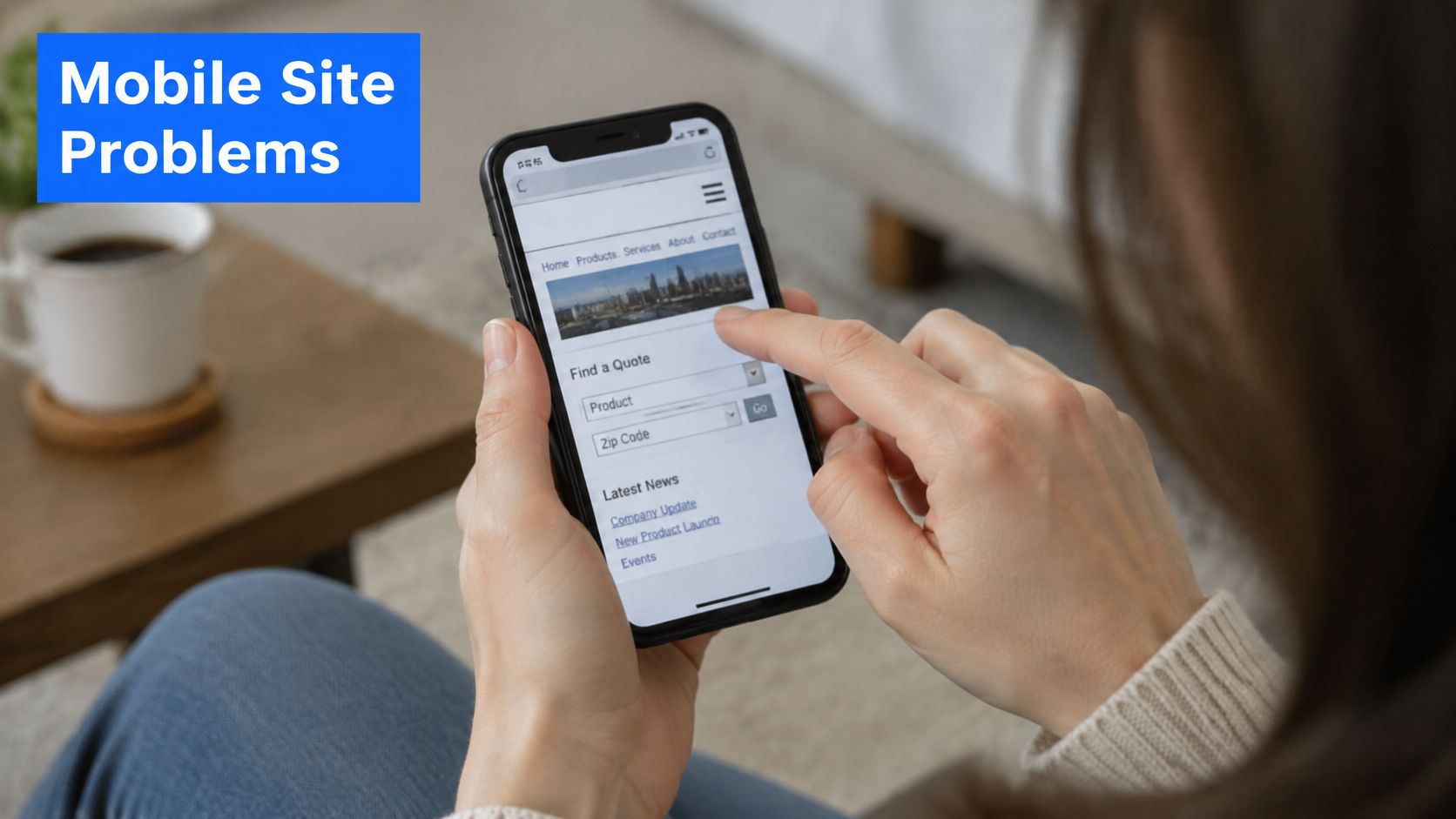
If two or three pages break, fix those pages. If every template inherits the same cramped header, tiny type and unusable form, the original build never accounted for phones, and no amount of stylesheet patching will make it behave.
3. The design no longer reflects the business or looks dated
A website can pass every technical check and still cost you work, because a dated look is a trust problem before it's an aesthetic one. Visitors read an old layout as a signal about whether the business is still trading, still careful, still worth a call.
The baseline has moved. UK government data shows 78% of businesses reported having a website in 2025-26, up from 68% in 2023-24, rising to 84% of micro businesses and 76% of sole traders (UK Business Data Survey 2026). Having a website no longer separates you from anyone. How quickly it answers a stranger's questions does.
The two-click test
Write down the five questions a new customer asks before they make contact. For a plumber that's coverage, callout cost, insurance, availability and how to book. Then start at the homepage and find each answer within two clicks. Dated sites almost always fail on price and coverage, because those answers were never designed in; they were left in a paragraph on an About page.

Swap stock photography for real photos of the premises, the team and finished work where you can. Then ask someone who doesn't know the business what they think it offers, and listen without correcting them. Separating a presentation problem from a content problem is the whole decision, and redesign or fix your website sets out how to tell the two apart.
If the structure already answers the questions and only the styling has aged, a good theme on a website builder is a sensible spend and a full rebuild probably isn't. If the layout has nowhere to put those answers, rebuild.
4. Your team cannot update the site without calling a developer
A site that takes three weeks to change an opening time isn't really a website. It's a noticeboard with a gatekeeper, and the gatekeeper has other clients.
The smallest UK firms increasingly treat a website as a working tool rather than a brochure. In 2024, 19% of UK businesses without employees received information or advice through a website, up from 10% in 2023, according to the Longitudinal Small Business Survey 2024. When customers go to the site to check details rather than just to confirm you exist, a slow update becomes a trading delay.
The twelve-month change log
Count the changes made to the site this year and how long each took from decision to live. Include the small ones: a price rise, a new phone number, a bank holiday notice, a staff photo. Then look at the shape of the answers.
A working site needs three things: a second person who can publish, a preview that shows the change in the real design before it goes live, and a record you can roll back.
- Who can publish: if only one person outside the business holds the keys, that's a single point of failure, not a process.
- Preview and reversal: a change should be viewable on a private link, recorded, and reversible in a minute.
- Separation from the live site: the editing layer shouldn't be able to take the public pages down when someone makes a mistake.
If the platform allows editing but the workflow doesn't, fix the workflow. Name a second editor, keep a log, agree a response time with whoever maintains the site. If the platform itself needs a developer to change a price, every future change carries that invoice, and a rebuild pays for itself in a year or two.
5. Search visibility and organic traffic are falling or stuck
Competition for a local search result is heavy. At the start of 2024 the UK had 5.45 million small businesses with 0 to 49 employees, according to the Business Population Estimates 2024. A good share of them want the same handful of queries in the same handful of towns.
Read Search Console for evidence
The Performance report gives impressions, clicks, average position and click-through rate by query and by page. Judge three months, not three days, and separate two different failures: pages that don't rank, and pages that rank but get scrolled past.
- Impressions falling: content has aged, a competitor has overtaken you, or a migration dropped pages without redirects.
- Impressions rising, clicks flat: titles and descriptions aren't matching the query, so the listing loses to the one below it.
- Pages not indexed: the Pages report shows thin, duplicate or orphaned URLs that Google found and discarded.
Search visibility also now runs through assistant answers as well as blue links, and improving product visibility in AI search covers how the same structural work feeds both. The common reasons nobody finds your website on Google are worth checking against your own report before you commission anything.
If the content is right and the metadata is lazy, rewriting titles and descriptions is a two-week patch with a measurable result. If half the site isn't indexed and there's no page for a core service or a town you cover, the structure needs building again, with a redirect plan written before anything moves.
6. Enquiries are low or the forms attract spam
The enquiry form is the only part of a site that produces revenue, and it's usually the least tested. Most owners find out it's broken when a customer mentions it, months later.
The smallest firms now run real trade through web software. In 2024, 53% of businesses with no employees used technologies or web-based software to sell to customers or manage the business, up from 44% in 2023, according to the UK Business Data Survey 2024. A form that fails, or buries a genuine enquiry among 60 spam messages, is a trading failure rather than a design flaw.
Count the steps from landing to sending
Start where the customer starts: a search result or the homepage. Count every field, tap and decision between arriving and submitting. Ten fields is a survey, not an enquiry. Postcode, job type and a phone number is enough to reply the same day, and it tells you which pages produce work.
Worth testing once a quarter: submit the form yourself from a phone on mobile data, and time how long the reply takes. Owners discover dead forms this way, not through analytics.
- Routing: does the message reach the person who can answer it, or an inbox nobody opens?
- Spam handling: filtering on wording blocks real customers who happen to write an odd phrase and lets through anything politely written. Validating that a sender is real is the more reliable filter.
- Next steps: every service page should say what happens after someone gets in touch, and how quickly.
If the form is long, hidden or silent, rebuild the enquiry journey inside the existing site. That's a patch with a fast payoff. If the platform can't route, validate or report on enquiries, the rebuild is worth doing for that alone.
7. AI assistants give inaccurate or missing answers about the business
Ask an assistant which veterinary practices in a town are taking new patients and it names three. Yours isn't among them, or it's there with last year's opening hours. That's a visibility problem most owners have never checked.
Assistants work from what is published and crawlable. Vague service descriptions, missing details, contradictions between your site and your directory listings, and unverifiable claims all reduce the chance of an accurate answer. Nothing here is exotic: the same clarity that helps a hurried human helps a machine summarising you.
Run the assistant check
Ask two or three assistants the questions a real customer asks. Do you cover my postcode, do you take new patients, what does a consultation cost, are you open on Saturday. Note every error, omission and competitor recommendation, and repeat it monthly, because answers change.
- A factual answer near the top of key pages: what you do, where, for whom, and what happens next.
- Consistent details: name, address, phone and hours identical across the site, your Google Business Profile and directories.
- Structured data: LocalBusiness, Service and FAQ markup give assistants explicit fields instead of prose to interpret.
The structured data tips for retailers cover the markup that carries most of this, and what generative engine optimisation involves explains how the channel differs from ordinary search.
If the facts are right but hard to find, answer blocks and structured data are a patch you can make this month. If the site never states prices, areas or services plainly, the content model needs rebuilding, and that same work improves search and assistant answers together.
8. The site uses outdated technology or lacks basic security
An unsupported platform is a liability with a date on it. Old plugins and abandoned themes are the usual route in for automated attacks, and a compromised site gets blacklisted, filled with hidden spam pages or taken offline at the worst moment.
Chrome marks a site without HTTPS as not secure, which is enough to lose an enquiry where payment or personal details are involved. A single image still served over ` can trigger the warning on an otherwise secure page, and that's a ten-minute fix.

Check the plumbing
- HTTPS everywhere: load each key page and look for the padlock, then check for mixed content warnings in the browser console.
- Version and support: find the platform version and the plugin list, and check which of them are still maintained.
- Backups: keep a copy stored away from the host, and test a restore rather than a download. An untested backup is a hope.
If the platform is current and the only gap is a certificate, fix it today, since most hosts include free certificates from Let's Encrypt. If the version is out of support and upgrading would break the theme, a planned rebuild is safer and cheaper than an unplanned recovery.
9. Accessibility barriers stop real customers completing tasks
Accessibility usually gets filed under compliance, which is why it's ignored until a complaint arrives. Treat it as a usability test with sharper edges: can a person read the service information, move through the form and send an enquiry.
The Royal Institution of Chartered Surveyors' Disability Inclusion Research Centre found that 86% of respondents who shopped online had encountered barriers affecting their ability to do so, and 38% identified poor website design as a barrier, including sites that didn't work with screen readers or built-in accessibility features (RICS, Re-imagining retail).
For UK service providers this isn't only commercial. The Equality Act 2010 requires reasonable adjustments where disabled people would otherwise face substantial disadvantage, and testing in 2025 found detectable WCAG failures on 94.8% of the top one million home pages worldwide, averaging 51 errors per page. Public sector monitoring identified 29,787 accessibility issues across monitored websites and apps between January 2022 and September 2024 (GOV.UK accessibility monitoring), which shows how stubborn these defects are even where there's a legal duty and a budget.
The keyboard test
Put the mouse away and tab through the enquiry form. Can you see where you are, reach every field in order, and submit without getting trapped in the menu. Then zoom to 200% and try again, and open one page with VoiceOver on an iPhone or NVDA on Windows.
- Contrast and size: body text at 16px or larger, contrast at 4.5:1 for normal text.
- Real labels: every field needs a permanent label, not a placeholder that disappears as you type.
- Headings and focus: one h1, headings in order, a visible focus ring, and no keyboard traps in menus or pop-ups.
Isolated defects such as contrast, alt text, labels and a missing focus style are a patch. A template that can't produce semantic headings, accessible forms or a sensible focus order is a rebuild, and the semantic HTML that fixes it makes the site easier for search engines at the same time.
The nine signs at a glance
| Sign |
What to check first |
Likely cause |
Patch or rebuild |
Difficulty to fix |
| Pages load slowly, especially on mobile |
Run key pages through PageSpeed Insights on mobile |
Oversized images, excess scripts, slow hosting or a bloated theme |
Optimise images and remove unused scripts; rebuild on a lean foundation if scores remain poor |
Moderate; may require a rebuild |
| Site does not work properly on phones |
Test key pages and forms on a real phone |
Rigid desktop layout, tiny tap targets, awkward forms or overlapping menus |
Adjust the responsive layout or rebuild if the template is too rigid |
Moderate |
| Design no longer reflects the business or looks dated |
Check whether branding, services and key customer answers are current and easy to find |
Outdated visuals, generic copy or unclear content structure |
Refresh content and imagery; redesign around buyer questions |
Moderate |
| Team cannot update the site without calling a developer |
Check whether staff can safely edit, preview and reverse routine changes |
No suitable editing tools, previews or version history |
Add a suitable content editor or rebuild with a separate, safeguarded editing layer |
Moderate |
| Search visibility and organic traffic are falling or stuck |
Review Search Console trends and indexing reports over several months |
Thin or duplicated content, technical SEO issues, broken links or migration errors |
Fix structural issues and content; rebuild if widespread, with redirects planned |
Difficult; improvements may take months |
| Enquiries are low or forms attract spam |
Test the enquiry journey on a phone and review form steps |
Hidden calls to action, long forms, unclear next steps or weak spam checks |
Simplify forms and calls to action; add verified spam protection or rebuild for complex workflows |
Easy to moderate |
| AI assistants give inaccurate or missing answers about the business |
Ask several assistants common customer questions and compare their answers |
Vague or inconsistent details, hard-to-crawl content or missing structured data |
Clarify factual content, align business listings and add accurate structured data |
Moderate; results are not guaranteed |
| Site uses outdated technology or lacks basic security |
Check HTTPS, platform and plugin support, backups and admin access |
Unsupported software, outdated plugins or missing security controls |
Update and secure the platform; replace unsupported technology and plan redirects |
Difficult; migration needs care |
Decide Once, Then Stop Patching
An afternoon with these nine checks gives an owner something most website advice never does: evidence. If three or more of the signs apply, patching is usually the expensive route. Each fix costs money, none of them change the foundations, and the list of fixes keeps growing while the enquiries keep thinning.
The counterweight matters just as much. A site with sound structure and a handful of defects doesn't need replacing, and a rebuild that repeats the same content model moves the problem onto a newer theme.
Three routes, chosen honestly
A website builder suits a simple brochure site you want to design and run yourself. You trade some speed and control for independence, and for a five-page site with a contact form that's a fair trade.
A traditional agency suits complex, custom work where every change will always be handed over to someone else. Agree in writing how routine changes are handled after launch, who owns the domain and hosting, and what happens if either side wants to stop.
A hand-built service suits UK small businesses that want speed, search fundamentals and the ability to change their own site. That's where Operosus sits: builds from £500, then £20 a month for the site, £50 a month for the AI growth team and £10 a month for each extra specialist, arranged so an owner can change content by typing the change, preview it in the live design and publish.
Whatever you choose, start with diagnosis rather than opinion. The free website review checks your speed on a phone, your search basics, the searches you already appear for and what an AI assistant tells customers about you, in about 30 seconds. The Operosus pricing page sets out what a build and the monthly work cost, and the contact page reaches the people who build the sites.
If the checks above point to a rebuild, Operosus builds small business websites by hand, with a page for each service and each place customers search for, and page titles, descriptions and structured data handled as part of the build. Owners then change the site by typing what they want, see the difference in the site's real design, and publish when they're ready. See how that works at Operosus.
