Google sets no fixed maximum for meta descriptions; about 150 to 160 characters is a working desktop drafting convention, not a guaranteed display limit. The useful question isn't whether a description fills the available character count, but whether a searcher can see enough to understand the page.
A length checker can flag a draft as too long while another preview shows it fitting comfortably. Neither result proves what Google will display. For a UK service business, the practical task is to write a clear opening, check the actual result on different screens, and keep the wording consistent with the page.
Table of Contents
Recommended Meta Description Lengths at a Glance
Use a character range to organise drafting, not to approve the finished search result. A description that meets a tool's recommended length can still lose its most useful words when displayed.
Google's guidance on better snippets explains that descriptions can be any length and that snippets are truncated to fit the available device width. That distinction matters more than the colour of a length-checking indicator.
Working lengths by display context
| Context |
Working range |
Status |
| Desktop search results |
About 150 to 160 characters |
Common drafting convention, not a Google rule |
| Mobile search results |
Less visible text, with the available width set by the layout |
Front-load the key words because the cut-off can come sooner |
| Google's stated position |
No fixed maximum |
Snippets are truncated to fit the device width |
| Max-snippet robots control |
A numeric value or -1 |
Sets a snippet limit only for specific needs |
The desktop range is an editorial allowance, not a technical specification. It gives a writer room for the page's subject, a useful distinguishing detail and a next step, without encouraging a miniature sales brochure.
The mobile row deliberately avoids a universal character target. A business needs a meaningful opening rather than a separate description padded or compressed to satisfy another arbitrary number.
The robots setting is different from both. It changes an instruction supplied to Google, rather than judging whether the writing is concise.
A practical check before publishing
A useful draft should pass these checks:
- Clear subject: The opening identifies the service or information on the page.
- Relevant place: A local customer can recognise the area served.
- Useful distinction: The wording explains who the service suits or what the visitor can do next.
- Accurate promise: The page delivers what the description suggests.
The check is straightforward. Search the target phrase in a private browser window on a desktop and a phone, find the page if it appears, and read the description without expanding anything. The service, place and reason to click should remain understandable before the visible cut-off.
A private window provides a cleaner checking routine, not a universal view of everyone's results.
What Sets the Visible Length of a Description
A meta description is text stored in a page's HTML. A search snippet is the summary Google displays beneath a result. Those aren't necessarily the same piece of text.
Think of the description as a label behind a shop window. The label can extend beyond the visible opening, but a passer-by can only read the part the window exposes. Writing more text doesn't create more display space.
Google's snippet documentation explains that snippets are generated dynamically, shortened to fit the device width and sometimes drawn from page content instead of the supplied description. Meta description length is therefore a display and relevance problem, not a field-size problem.
Screen space and letter shapes
A phone and a desktop don't offer identical reading conditions. The available result layout determines how much text appears, so a description that looks complete on a wide screen can lose its final clause elsewhere.
Character counting also treats unequal things as equal. A narrow letter occupies less horizontal space than a wide one, even though each contributes the same amount to the character total.
A draft containing many wide capitals may therefore occupy more space than another draft of the same counted length. This is why a preview is more informative than a counter, although neither replaces checking the live result.
Factors that change the visible cut-off
| Factor |
Effect on visible text |
What to do |
| Device width |
Mobile can show less text than desktop |
Put the service and place in the first clause |
| Letter width |
Narrow letters fit more characters than wide ones |
Preview the result rather than relying on a count |
| Query match |
Google may show a passage that fits the search better |
Make sure the page itself supports the summary |
| Max-snippet setting |
Caps snippet length when set |
Use only for specific privacy, preview or brand requirements |
The table separates factors a writer can influence from those outside the writer's control. Word order can be changed immediately. A searcher's screen, result layout and exact query can't be fixed by editing the description.
The query can change the wording
A plumbing page might cover leaks, boiler repairs and landlord maintenance. Its general description could be useful for a broad local search, while a paragraph about boiler faults could answer a more specific query better.
Google may select that paragraph instead. This doesn't automatically mean the supplied description is defective, and shortening it won't necessarily make Google choose it.
The visible page should therefore contain clear, accurate explanations of its services. A carefully polished description can't compensate for page text that leaves the customer's actual question unanswered.
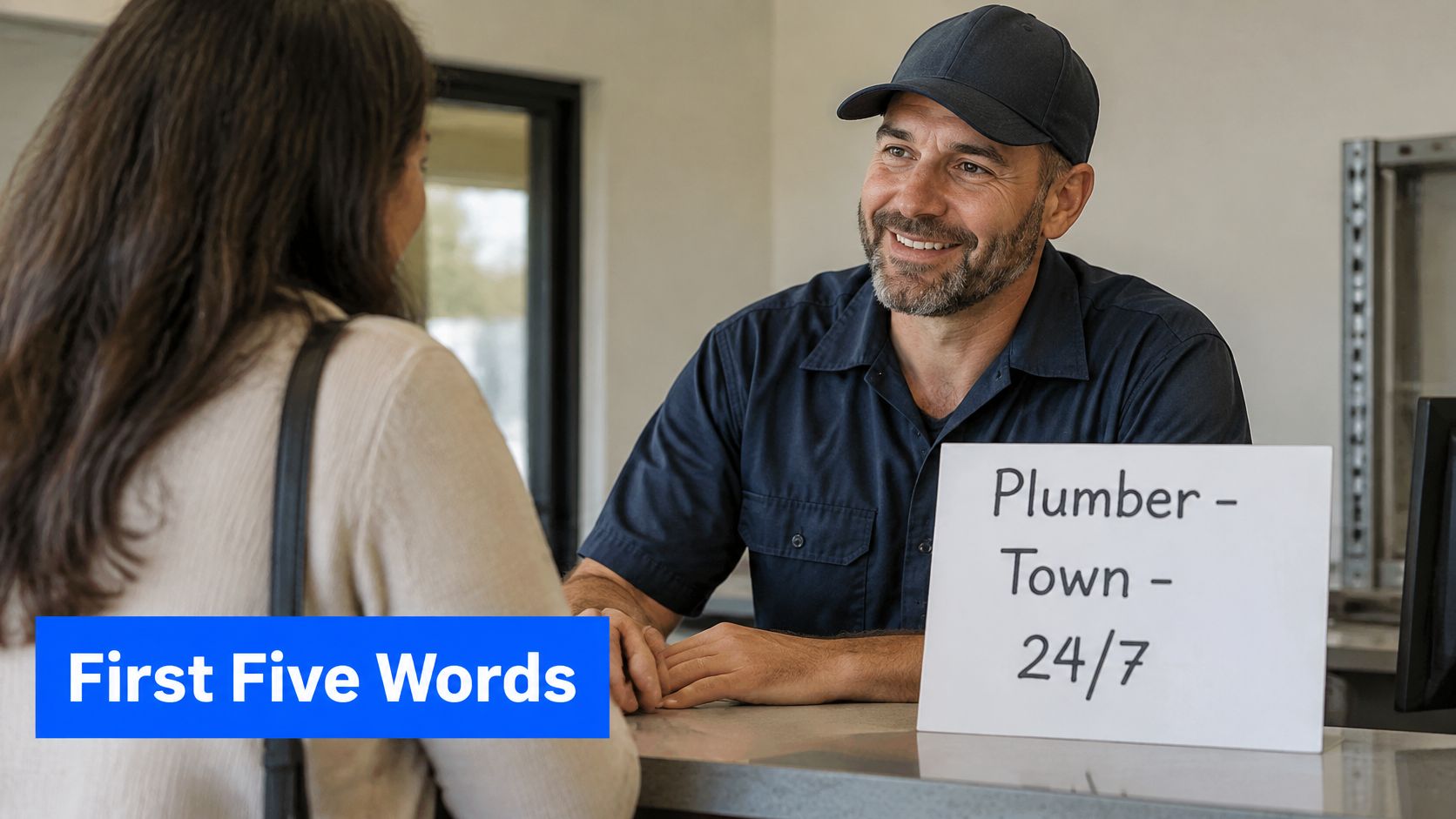
Consider a hypothetical plumber's draft that begins with a general promise and ends with the service area:
Reliable help with leaks, repairs and maintenance for homes and landlords across Leeds.
If the ending disappears, a local searcher loses the location. Rearranging the sentence preserves the decision-relevant information earlier:
Leeds plumbers for homes and landlords. Help with leaks, repairs and property maintenance.
Neither example predicts an exact cut-off. The improvement is structural: the opening remains useful even when the ending isn't shown.
A snippet cap doesn't choose the snippet
The max-snippet robots control limits the permitted snippet length. It doesn't instruct Google to reproduce the stored description word for word.
For an ordinary service page, adding a cap merely to make the result look tidy can restrict useful preview text without solving the underlying writing problem. Special preview requirements deserve a deliberate technical decision, not an automatic setting applied across the site.
Write for the visible opening and for accuracy. A complete sentence with its essential meaning at the front is more dependable than a description engineered to end at a particular character total.
How to Write a Description That Survives Cut-Offs
Start with the information a customer needs to recognise the right page. Brand language, broad promises and introductory filler can follow only if they add something useful.
Google's developer guidance on search fundamentals recommends short, unique summaries and explains that accurate descriptions may improve click-through without changing a page's position in search results. The writing task is to explain relevance, not manufacture a ranking advantage.
A practical drafting sequence
Name the service immediately. An opening such as conveyancing solicitors or garden maintenance gives a searcher a recognisable subject before any promotional language appears.
Attach the relevant place. Use the town, region or national coverage that the page supports, rather than adding a list of nearby locations.
Choose a concrete distinction. State the job types, customer group or service scope, such as maintenance for landlords, instead of an unsupported claim about exceptional quality.
Add a suitable next step. Requesting a quote makes sense only when the page explains how that happens; a guide may be better described through the question it answers.
Check the draft's length without padding it. Remove introductory wording and repeated ideas before cutting useful details, and leave a concise description alone when it already communicates enough.
Inspect the opening in desktop and mobile previews. After publication, check the live search result too, noting whether Google displays the description or selects different wording.
Compare neighbouring pages. Service and location descriptions should identify what makes each page useful, rather than repeating a site-wide sentence with a different town name.
The broader SEO content strategy should determine each page's purpose before its description is drafted. Otherwise, the writer is trying to distinguish pages whose content may not yet have a meaningful difference.
For an additional writing reference, Digital Skyrocket's meta description guide is a relevant companion to a page-by-page drafting checklist. Any suggested wording still needs checking against the business's actual service and page content.
Rescue the missing clause
Suppose a landscaping description ends with the fact that the business handles small courtyard gardens. If that detail matters most to the intended customer, it belongs nearer the beginning, not after a general sentence about outdoor spaces.
Editing rule: When a cut-off hides the important clause, move that clause forward before shortening everything else.
This approach preserves useful specificity. Deleting words indiscriminately can produce a shorter but less informative description, especially when the removed words explained who the service was for.
The final reading should sound natural aloud. Awkward abbreviations and compressed keyword fragments aren't worthwhile just because they reduce the count.
Examples of Descriptions That Earn Clicks
A stronger description gives a searcher clearer grounds for choosing a result. It doesn't guarantee a click, and these examples are illustrative drafts, not measured performance results.
Each pair replaces vague claims with information a business could verify. The details should only be used where the page and service support them.
A plumber serving Leeds
Weak version
Leeds plumber, plumbing Leeds, best plumbing services, reliable local plumbing and excellent customer service.
Stronger version
Leeds plumbing repairs for homes and landlords. Help with leaks, blocked sinks and maintenance. Request a quote for the job.
The stronger opening establishes the service, location and customer group, so a phone user doesn't need the final sentence to recognise a relevant result.
The weak version spends its space repeating near-identical phrases. The stronger version uses that space to describe the work, while leaving the enquiry prompt at the end where its loss would do less harm.
A conveyancing solicitor
Weak version
Professional legal experts offering the best service for all property needs, with friendly support throughout the process.
Stronger version
Conveyancing for home buyers and sellers in York. Arrange an introductory call covering the property, transaction and next steps.
The revision identifies the transaction and area before describing a defined conversation, rather than relying on an unsupported claim of superiority.
The call should have that scope in practice. A description shouldn't imply free advice, a fixed fee or a particular response time unless the business offers it.
A business consultancy
Weak version
Innovative strategic solutions delivering transformation, optimisation and business excellence for ambitious organisations.
Stronger version
Operations consultancy for UK manufacturers. Map production bottlenecks and agree a practical improvement plan. Discuss the current process.
The stronger draft names the sector and a concrete deliverable, giving a phone reader something more useful than a sequence of abstract benefits.
A description should also complement its title rather than repeat it mechanically. The explanation of what a title tag is helps separate the page's main label from the additional detail supplied beneath it.
For another service page, the same comparison can be made on paper: a generic draft beside a version containing the service, audience or place, and a specific outcome. The stronger version is the one that makes the fewest assumptions about what the searcher already knows.
When Google Rewrites or Ignores Your Description
A better description doesn't fix every search problem. The first distinction is whether people are seeing the page and declining to click, or whether the page isn't appearing for the relevant searches.
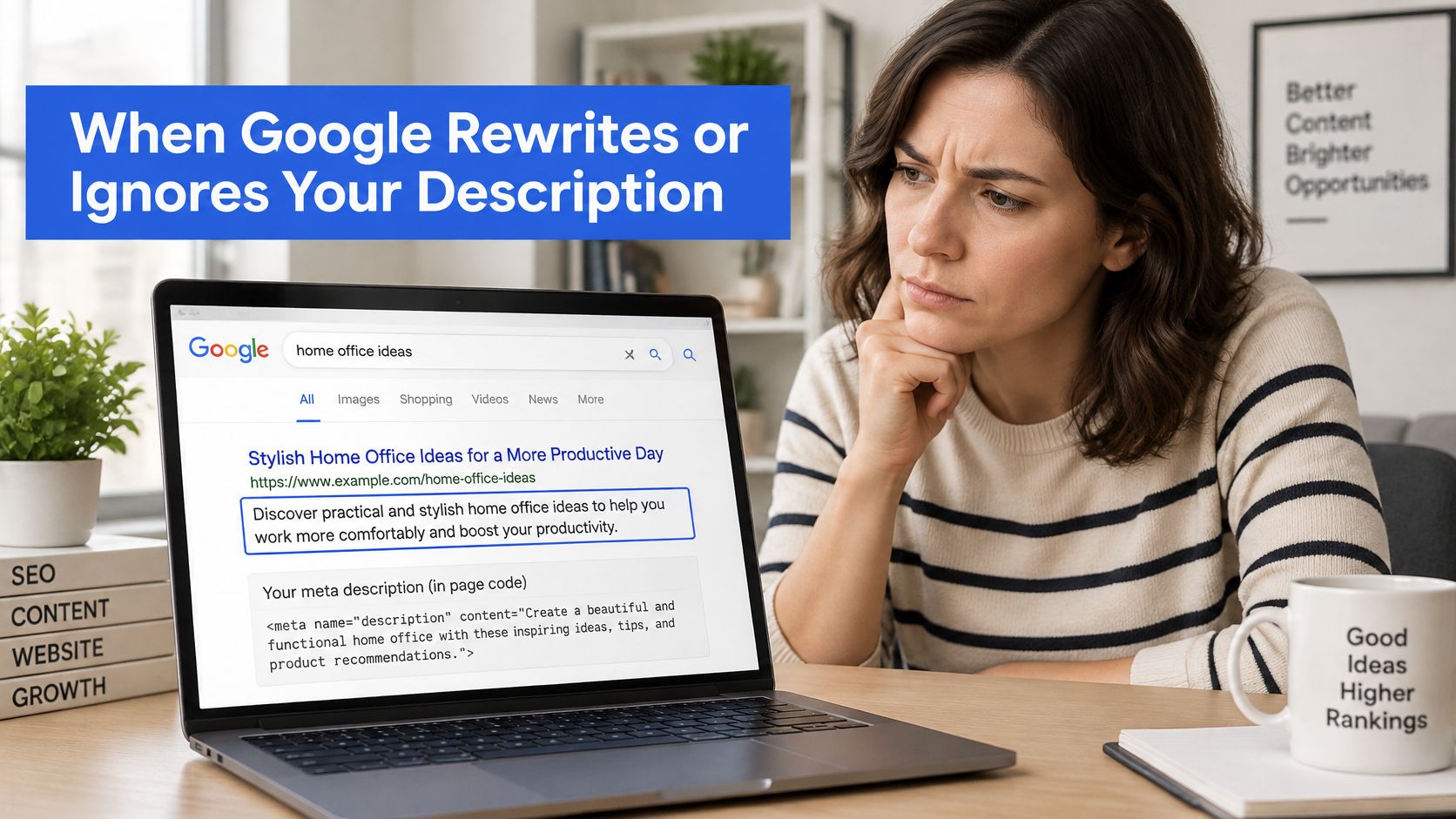
Google's guidance on creating useful snippets recommends descriptive, page-specific summaries and warns that keyword strings are less likely to be displayed. A rewrite can also reflect a better match between a particular query and the page's visible text.
Diagnose the wording before changing it
Several problems deserve different responses:
- Keyword strings: Replace repeated search terms with a readable explanation of the page.
- Duplicated descriptions: Identify the difference between the service or town pages before rewriting their summaries.
- Query mismatch: Check whether the replacement passage answers the search more directly than the stored description.
A changed snippet isn't automatically a fault. Repeatedly rewriting an accurate description to force Google to retain it can waste effort when the alternative wording is useful.
Featured snippets are a separate search presentation issue. For businesses exploring that distinction, Big Moves Marketing's featured snippet strategy for SaaS founders is a related resource, not a method for forcing Google to use a meta description.
Seen but not clicked
In September 2026, Operosus analyst Nia flagged a coach's blog post that appeared in Google 343 times in 28 days, at an average position of 6.4, and received 5 clicks. That was a seen-but-not-clicked case, so the intervention was a rewritten title and description rather than a new page.
Those observations identified an opportunity to test the search-result message. They didn't prove that the description alone caused the low click count, or establish a result after the rewrite.
At Operosus, Sam handles title and description changes while leaving the client's page text intact. That separation helps keep a narrowly targeted search-message edit from becoming an unnecessary page rewrite.
Not appearing requires a different investigation
If a page doesn't appear in Google at all, a better description won't change that. Its discoverability, indexing and substantive usefulness need attention; within Operosus's workflow, improving the page is Hattie's job.
Diagnostic starting point: Seen but not clicked calls for a review of the search message. Not seen calls for an investigation of the page and its visibility.
The rule starts an investigation rather than ending it. Search position, query relevance and competing results still matter when judging why a visible page receives few clicks.
Audit Your Descriptions This Month
A monthly audit keeps the work focused on pages with a plausible opportunity for improvement. Rewriting every description at once makes it harder to tell which changes helped and whether another issue deserved attention first.
The audit needs a record of what was stored, what appeared in search and what changed afterwards. A simple spreadsheet is sufficient for a small service website.
A manageable review routine
Find visible pages with weak engagement. Open the Search Console performance report and identify pages receiving impressions but relatively few clicks, then inspect their actual queries.
Record the current message. Note the page address, intended search phrase, title and stored description, keeping unrelated queries separate from commercially relevant ones.
Inspect the weakest candidates. Check their results on a phone and desktop, recording whether the opening communicates the service, place and useful distinction.
Rewrite a small batch. Prioritise descriptions that misrepresent the page, conceal an important detail or repeat wording used elsewhere.
Log publication and review later. Compare clicks and impressions after a few weeks, while checking whether positions and the mix of queries also changed.
For larger sets of service pages, the operational challenge includes keeping source information consistent. BeatAPI's programmatic SEO data for agents is relevant to that data-management context, but generated descriptions still need factual checks and readable wording.
Measure beyond the click
A click isn't the final business outcome. The useful sequence is seen, clicked, visited and enquired, with attention to where potential customers stop.
A broader website SEO review can help place description edits alongside page quality and technical basics. That prevents a visible snippet problem from distracting attention from a page that loads poorly or makes contacting the business difficult.
The free website review at Operosus's review page takes about 30 seconds: a business pastes its web address and sees its phone speed, search basics, existing search queries and what an AI assistant tells customers about it. It's an optional outside check alongside the business's own observations, with no obligation.
Operosus builds and maintains small-business websites, then reviews search evidence to identify useful improvements to titles, descriptions and page content. Businesses seeking a clearer view of why their pages are seen but not clicked can visit Operosus and start with the free website review.
