You've put the phrase in the page title, the H1 and the opening sentence, and the page is still sitting at position 34. Or you're staring at a blank service page, cursor blinking, wondering whether "emergency plumber Leeds" belongs in the address bar of the page or the heading. Both problems usually come from the same missing step. The phrase was treated as something to insert rather than as a decision about which search deserves which page.
Keyword work on a small business site is mostly editorial judgement. You pick a handful of searches worth answering, give each one a page that answers it properly, and put the words where a reader expects to find them. The density counting and the synonym lists are decoration.
The order below is the one that holds up in practice: choose the phrase, place it in the page's real slots, decide whether a place name earns its own URL, write answers that survive being summarised, then read the numbers and fix three pages this week.
Table of Contents
How to Choose the Phrase Before You Add It
Most disappointing keyword work fails at selection, not insertion. A page titled "Plumbing and Heating Solutions" can carry "plumber Leeds" in five places and still lose to a competitor whose page is plainly about emergency call-outs in Leeds. The words were never the problem. The page was answering a question nobody asked.
Search remains the route most UK customers take. The Ofcom Online Nation report found that 95% of UK adult internet users had searched for information online in the previous three months, and its May 2024 figures put Google Search at 83% of UK online adults, with 49% visiting it daily. Bing reached 39% of adults, the only other engine above 3%. Google's reach was 86% in May 2023, so the audience is large and not entirely stable. Content written in internal business language rather than customer language misses that audience.
The routine below fits into one afternoon with a laptop, Search Console and a notebook.

The afternoon routine
- Pull what the site already appears for. In Google Search Console, open Performance, set the range to three months and sort queries by impressions rather than clicks. A gardener will often find "block paving edging ideas" gathering far more impressions than "driveway landscaper Bristol". That's a guide, not a service page, and it tells you what the site already has permission to talk about.
- Sort the list into three columns. Service, place, and stage, where stage means problem, comparison or ready to book. "Emergency plumber Leeds" sits in place plus ready to book. "How much does a boiler service cost" sits in comparison. One row per query, no merging yet.
- Split broad from specific. The distinction Ofcom draws is a good working test: "accountant" is not the same search as "small business accountant in Leeds". The broad term is vague and heavily contested, the specific one carries a trade, a place and a problem. Each deserves its own page only if you can answer it properly.
- Check the words customers type. Run the trade term and the plainer alternative side by side in Google Trends. Clinics that market "dental implantology" compete with patients who type "tooth implant". Use the term people say, and keep the technical one as a supporting phrase inside the copy.
- Choose one primary phrase per page, plus two or three variants you'd say aloud. "Same day plumber Leeds" passes. "Affordable plumbing solutions provider Leeds UK" doesn't, because nobody says it. If a variant only exists in a keyword tool, it isn't a variant. Taja AI's keyword research tactics are useful at this stage for generating and grouping candidates before you narrow them down.
- Place the phrase once it has survived that filter, not before. A phrase that hasn't been chosen deliberately will get sprinkled through the copy in a panic, and the page reads like it.
Selection before placement: a phrase that doesn't match a page's job pulls the wrong enquiries in, wherever it sits on the page.
Two categories to ignore outright: phrases nobody searches, which you can confirm quickly by checking the query report and the broad term's relative interest; and phrases the business doesn't offer, such as a domestic electrician chasing "commercial electrical contractor". Winning that search produces enquiries you'll decline, which is worse than not ranking.
Where Each Keyword Goes on the Page
A plumber pastes "plumber Leeds" into every page of the site, from the homepage to the contact form, and still doesn't appear for emergency call-outs. The phrase is everywhere and the site says nothing specific anywhere. That's the failure mode to avoid.
The rule comes first. One page answers one search. A page about emergency plumbing in Leeds shouldn't also try to own bathroom installs, leak detection and commercial contracts. Give each of those its own URL, or leave them for later. A single page chasing five searches ranks for none of them.
UK Government guidance for publishers sets out the placement clearly: put the primary phrase in the URL, a unique page title, the H1, the introduction, one or more descriptive subheadings, internal-link text and image alternative text. Title guidance adds that important terms belong at the front, that titles stay concise, and that strings of repeated terms are discouraged because they're written for search engines rather than people. That last point is the one most small sites get wrong, with titles like "Plumber Leeds | Leeds Plumber | Cheap Plumber Leeds".
Walk the slots in reading order
| Element |
What to put there |
Rule of thumb |
| URL |
Short hyphenated form of the primary phrase |
One search intent per address |
| Page title |
Phrase front-loaded, plus the offer |
Unique and concise; never a list of repeated terms |
| H1 |
Same offer as the title, in plainer language |
Must match what the title promises |
| Opening paragraph |
Phrase once, then what the customer actually gets |
Backed by genuinely useful copy |
| Subheading |
A real question or a natural variant |
Not a repeat of the title |
| Meta description |
Click summary with the main term near the start |
Under 160 characters, ideally 90 to 120, worded differently from the title |
| Image alternative text |
What the image actually shows |
Include the phrase only if it's accurate |
| Internal link |
The name of the destination page |
Never "click here" |
The title carries the most weight with searchers because it's the line they read in results, so it pays to understand what a title tag actually does before rewriting a set of them.
The meta description is a click-through summary, not a ranking field. Keep it under 160 characters, aim for 90 to 120, get the main term near the start and word it differently from the title so the two lines don't say the same thing twice. A description that repeats the title wastes the only space you have to add a reason to click.
The tag that isn't a slot
The HTML meta keywords tag, a comma-separated list in the page head, is not how a phrase gets added. Search engines don't rank a page from that tag. Filling it in feels productive and changes nothing, so leave it empty and spend the effort on the visible slots instead.
Three checks before you publish. The title and H1 promise the same thing. The copy would still make sense with the phrase deleted. No other address on the site targets the same search.
When a Place Name Deserves Its Own Page
More keyword pages rarely means more enquiries. For trades, clinics and firms covering several towns, swapping the town name across dozens of URLs produces near-duplicates, not local information. The pages get indexed, nobody links to them, and the business still can't tell you what makes Wolverhampton different from Walsall.
The practical test is whether you have something to say. A separate page earns its place when searches include that town and the business can add evidence a customer there would recognise: the areas covered, how far you travel before a call-out charge applies, local rules that change the job, response times, completed work, or questions that keep coming up in that patch. Guidance on small business search work warns that lists of town names and near-identical pages are the usual result when a template is copied and the place name swapped, and that each page needs a distinct purpose that answers the local customer's question.
The test applied row by row
| Situation |
Own page or not |
What has to be different |
| A town you work in and people search by name |
Own page |
Areas, travel limits, response times, jobs done or local questions |
| Service plus place, but nothing local to say |
No |
Fold it into the regional service page |
| Dozens of towns with only the name swapped |
No |
Near-duplicate; one strong regional page is better |
| Broad search such as accountant |
One service page |
Don't split by town without local demand and proof |
| The same intent is already on another URL |
No new page |
Link to the existing page so the two don't compete |
The fourth row catches people out. "Accountant" is a national-sounding search with local results mixed in, and splitting it into twelve town pages dilutes a single strong service page into twelve weak ones. Build the service page first and only split when Search Console shows real demand from a named place.
Indexed URLs are not the goal. Enquiries are.
The middle row is where most multi-location providers should stop. If your only difference between the Leeds page and the Bradford page is the word Leeds, you've built one page and published it six times in a way that competes with itself. Write a single regional page, say clearly where you travel and how far, and let that page do the work. Operosus takes the same line, suggesting a town page only where people search by that place and the business has something specific to say about it, and has written about ranking in nearby towns without a physical address for firms that serve an area from one base.
What to do with the pile you already have
If the site already carries a set of thinly edited town pages, don't add more. Pick the strongest URL, the one with the most useful content and any real links, and merge the others into it: the local detail, the coverage notes, the questions people ask. Redirect the rest so the old addresses reach the closest useful page. Then stop adding towns until there's something specific to write about each one, and put the effort into the service pages that generate the enquiries.
Write Answers People and Assistants Can Use
Short exact-match phrases were built for a results page with ten blue links. Customers now type full questions, and a growing share of answers arrive as a summary rather than a visit. The Government Communication Service guidance on AI-powered search reports that around 30% of searches present AI overviews and that 53% of UK adults often see AI summaries, frequently without deliberately looking for them. That changes where the phrase goes.
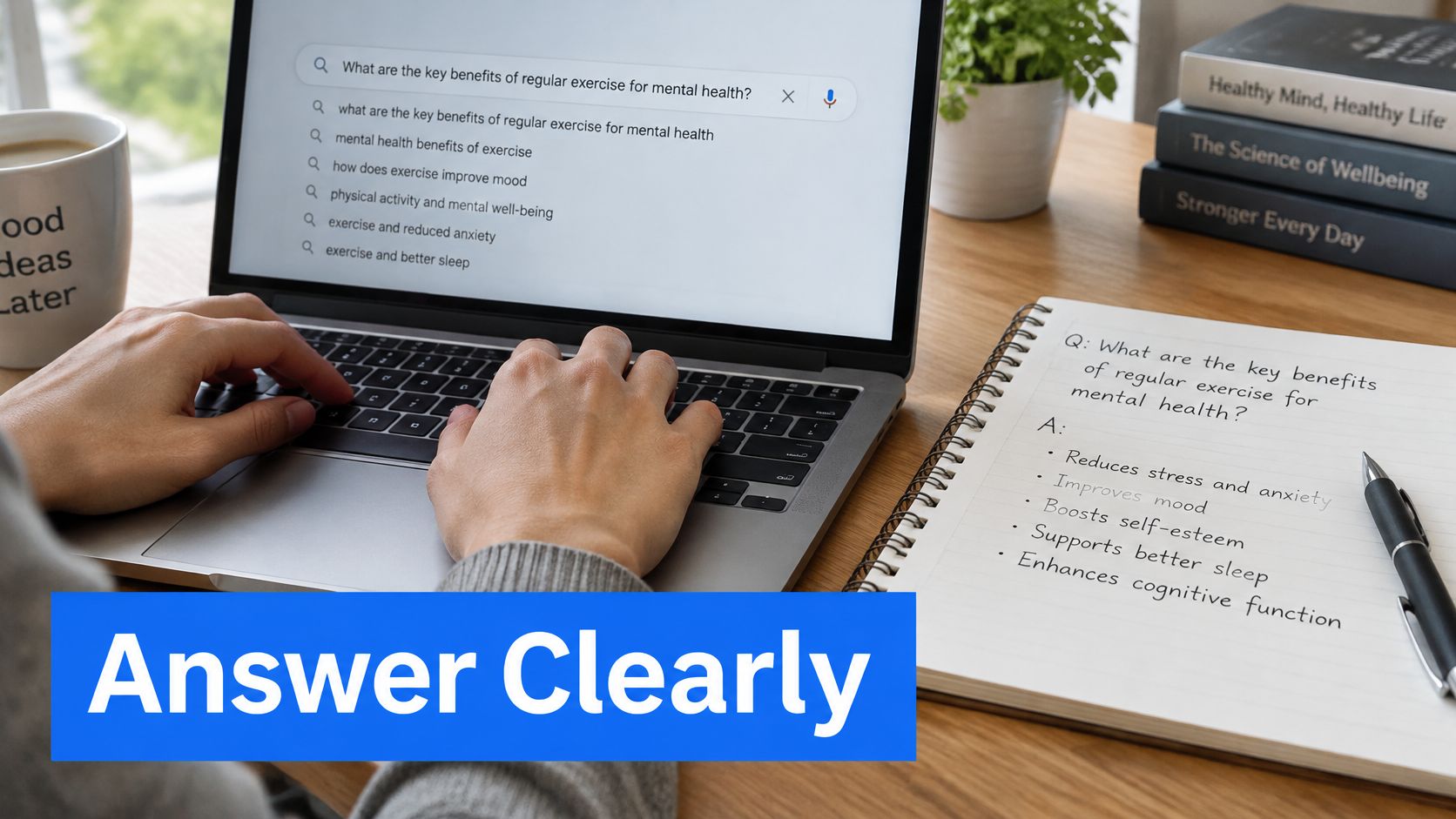
The unit of content becomes the question. Take the customer's actual wording, "how much does a boiler repair cost", and use it as a subheading. Answer it in the first two sentences. Then add the detail that stops a wrong enquiry: what's included, the area covered, whether the work is Gas Safe registered, and any limit such as not covering back boilers.
The stuffed version beside the direct one
An accountant's opening line, as it often arrives. Stuffed: "Our Manchester accountants provide accountancy services in Manchester for Manchester businesses looking for accountants in Manchester." Nothing there helps a reader or a machine.
Direct: "We prepare year-end accounts and corporation tax returns for owner-managed limited companies in Greater Manchester. Most clients have between two and twenty staff and want the accounts filed without chasing."
The second version names the service, the place and the audience, in two sentences. It contains the phrase once, in the natural place, and it gives an assistant something verifiable to quote.
Separate the question from the sale
Informational questions and buying questions need different endings. Someone asking what a boiler repair typically costs is early, and the answer should lead to the repair page with a clear next step rather than sit as a detached paragraph with no route out. Someone asking for same-day cover wants a phone number and a coverage check.
Keep the facts identical wherever they appear, on the service page, the FAQ and the location page. An assistant summary is only as accurate as the pages it reads, and two versions of your response time produce a third, wrong one. Consistency matters more here than a little extra keyword coverage. The same discipline applies inside help content and documented answers, where knowledge base writing and review rules keep wording stable across versions.
Adding more exact-match repeats matters less than a clear layout and wording a person could check. Read the page aloud at the end and cut any sentence that exists only to repeat the phrase.
Read the Result After You Publish
Changing a title and rewriting the whole page on the same day tells you nothing. You'll never know which change moved the number, and if it drops you can't undo the right thing. Publish one change, record the date, and leave it alone for several weeks.
In Search Console, open the URL's own report and note four figures for the same date range: impressions, clicks, click-through rate and average position. Then compare enquiries, not a single rank. An improvement from position 14 to 9 that brings no extra calls is a smaller win than it looks.
One change at a time
The habit that separates useful iteration from guessing is a written log: date, page, what changed, the four figures before, the four figures after. Two or three weeks of data is enough to see a direction on a page that already gets impressions. A page that gets almost none needs longer, because the numbers are too small to read.
Three patterns and what each means
Seen but not clicked. Impressions are healthy, click-through is low, position sits in the teens or worse. The page is being shown for a search and losing the click to the titles above it. Rewrite the title and description: put the offer at the front, word the description differently from the title, keep it inside the length limit, and change nothing else on the page. This is routine work, and it's where Operosus's search specialist Sam spends Tuesdays, rewriting only the title and description that appear in Google while the page itself stays as the client wrote it.
Barely seen at all. Another sentence containing the phrase won't fix this, because the problem isn't wording. Either no page matches that search, or the page is answering a different intent, or the whole site lacks the signals to compete. Go back to the one-intent rule, or to the test for whether a place deserves a page. If a page doesn't appear in Google at all, a better description changes nothing; the page needs to be a better page.
Two URLs for one query. The pages are competing and both get suppressed. Keep the stronger one, merge anything useful from the other, and redirect the weaker address so old links reach the closest equivalent page.
Watching this properly means reading impressions and positions rather than typing the phrase into Google to see where you land, and there's a case for understanding how to check a website ranking with data that reflects everyone's searches rather than your own. If you're pulling query and page data into a reporting sheet, the Search Console integration documentation explains what the API exposes and how the fields line up.
Put the phrase where a person needs it, then leave the page alone long enough to read clicks and enquiries.
Fix Three Existing Pages This Week
Don't rebuild the site to add keywords. Open Search Console, pick three queries that already show impressions, and match each to one existing page. Then change only that page's title, H1 and opening line using the placement rules. Leave every other URL untouched so you can see what those three edits did.
Three edits a week compounds faster than a rebuild, because each one is reversible and measurable. A fortnight later you'll know whether the pattern works on your site, and you'll have a log to prove it.
The stopping rule: one honest page per real search, and measure clicks and enquiries before adding another page.
For the underlying setup, the choice usually comes down to what already exists. If the pages are there and you can edit the wording yourself, edit them. A website builder is enough for a small site you're happy to maintain. Where titles, descriptions, structured data and a sitemap were never set up, a hand-built site that includes those from the start saves the retrofit later, and Operosus builds them that way, with a review that takes about 30 seconds: paste the address and see phone speed, search basics, the searches the site already appears for and what an AI assistant tells customers about it. That's a sensible second look before committing to a bigger content push.
Operosus builds small business websites by hand for UK service businesses, with the search basics, page titles, descriptions, structured data and sitemap, in place from the start, and an editor that lets you change wording by typing what you want. If the three-page fix leaves you wanting a second opinion on which searches your site should be answering, the free review at Operosus shows your phone speed, your search basics, the searches you already appear for and what an AI assistant currently tells customers about you.
