Same day for anything that is wrong, once a month for the checks that catch quiet failures, and a full content pass once a quarter unless the business changes faster. That is the working answer to how often should you update your website, and it holds whether you run a plumbing firm, a dental practice or a four-branch veterinary group.
The dominant advice is a publishing quota: something new every week, a refresh every month, and the enquiries will follow. It sounds disciplined. In practice it produces blog posts nobody reads while a wrong price sits on the contact page for eleven weeks. A site is not a magazine. It is a set of facts customers act on, and the sensible schedule links each change to what happens when it is out of date.
Once you accept that, the question shifts from how often to publish to which speed each change belongs to. Three speeds cover almost everything a small UK business does to its website.
Table of Contents
How Often Each Part of the Site Should Change
Shelf life drives the schedule. A price is wrong within hours of changing. A service page can sit untouched for months without harm. A phone number has zero tolerance, and neither does a broken enquiry form. Sort each part of the site by how quickly it goes stale and the calendar writes itself.
Customers check before they act, which is what makes the stale parts expensive. Ofcom research found that 47.4 million UK adults went online in May 2024, spending an average of 4 hours and 20 minutes online each day, and that 78% of UK internet users used local council or government websites (Ofcom's Online Nation 2024 report). People treat websites as sources of fact. Your opening hours are one of those facts.
The three speeds in practice
Same day. Prices, opening hours, staff names, services offered, coverage areas, credentials, policies and contact routes, every time one of them changes. Anything broken joins this list: a form that stops delivering, a compromised login, an expired certificate, a backup that failed overnight.
Monthly. Broken links, a test enquiry through every form, confirmation that the latest backup completed, phone and email details on every page, page titles earning plenty of appearances in Google but few clicks, and whether assistant answers about the business still match the facts. This pass is detection work. Each item surfaces a problem a visitor would otherwise find first.
At least quarterly. Service pages, navigation, calls to action and location information, brought forward if clicks fall or the offer changes. Search is where a stale page does its damage, because customers keep landing on it, reading yesterday's offer and leaving without enquiring.
Some of that monthly list is risk work rather than content work. The UK Government's Cyber Security Breaches Survey 2025 found that 43% of businesses experienced a cyber security breach or attack in the previous 12 months, based on research with 2,180 UK businesses between August and December 2024. Software, dependencies, forms, accounts, backups and redirects run on a risk cycle: the cost of being wrong arrives without warning, so you go looking before it does.
When to speed up and when to leave it alone
- Speed up when offers or availability change weekly, during a busy season, when several locations share one set of facts, when regulated wording is involved, when a form has recently failed, or when a new template or navigation change could break a journey you already checked.
- Slow down when the service is stable, search queries have not shifted and the page already turns visitors into enquiries. A correct page that answers the questions customers ask earns the right to sit until its review date.
Cosmetic refreshes and extra posts don't count as maintenance. Neither does a redesign done to feel busy. The table is the lookup to keep pinned; match your next change to one row.
| What changes |
Usual cadence |
Do it sooner when |
| Prices, hours, staff, services, contact details |
Same day |
Any of those facts change |
| Security, forms, backups, platform and redirects |
Monthly check, immediate if broken |
Breach, failed form, expired certificate or failed backup |
| Page titles, descriptions and search metadata |
Monthly review |
Many appearances and a weak click rate |
| Service pages, navigation and calls to action |
At least quarterly |
Falling clicks, new services or a seasonal shift |
| AI assistant answers |
Monthly spot check |
A public answer is wrong, thin or missing a real service |
| Conversion tests |
One test, judged after about 28 days |
Enquiries drop or one step clearly causes friction |
| Accessibility basics |
Every publish, fuller review quarterly |
New images, forms, PDFs, templates or navigation |
Larger platforms carry a second layer of housekeeping entirely. Teams running a heavyweight CMS have their own patching and caching debt, and the guidance on keeping Sitecore platforms secure and fast is worth working through before a version upgrade lands mid-season.
Security and Platform Maintenance Off the Content Calendar
A contact form can fail without a single error on the screen. The page still loads, the submit button still works, and enquiries route to a mailbox that no longer exists. Nobody notices until a customer mentions they never heard back. That is why the security row of the cadence table sits on its own schedule, checked monthly and fixed immediately when something breaks.
Set aside one sitting a month for the same five checks. Log in and clear pending updates to the software, theme and plugins, testing one page after each round rather than updating everything blind. Confirm every account is still needed and uses a strong, unique password with two-factor sign-in. Check the SSL certificate has at least a month left. Confirm the latest backup completed, then restore a single page from it to prove the file is real. Submit a test enquiry through every form on the site and confirm the message arrives in the inbox someone reads.
Beyond the same-day items already in the table, add three more: a login that looks compromised, a broken third-party integration and privacy wording that no longer matches what the site collects. Each gets fixed the day it is found, with a short note of what happened and what changed.
Quarterly, tidy the plumbing: re-check redirects after any URL change, remove integrations nobody uses, retire accounts belonging to former staff, and confirm the privacy and cookie wording still describes reality.
The test that matters most: restore one page from last month's backup and open it in a browser. A backup only counts once you have restored from it.
How much personal data the site holds sets the tempo. A brochure site with a contact form carries less risk than an online shop holding card data, and a site collecting health details or legal enquiries is different again. The more the site holds, the earlier in the month the checks should run and the more carefully each update should be tested before it goes live. A structured walkthrough of the common ways small business websites get exposed is a reasonable starting point if nobody has looked at this side of the site in a year.
Update Schedules for Trades Clinics and Multi Location Firms
A plumber or electrician sells availability and coverage. A clinic sells credentials and careful wording. A firm running branch pages across several towns sells consistency. Each one goes stale in a different place, so the schedule that fits is the one matched to how fast its facts move and what a wrong fact costs.
The UK Business Data Survey 2024 found that 68% of UK businesses had a website, from 99% of large businesses and 93% of small businesses down to 74% of micro businesses and 65% of sole traders, and that 56% of businesses with relevant data practices used cookies to understand how their site was used, with the stated purpose of making improvements. Most owners already hold the site and the evidence. What is usually missing is a timetable that turns one into the other.
What a trade business changes
Prices, areas served and emergency hours go stale the moment the diary or the coverage map shifts, so they are same-day edits. Monthly, check which towns the site still names against where you work, then look at any page title that appears often in search but attracts few clicks. Quarterly, add or tighten one service page, and only when the queries show a job you take on that no page answers. Trades sit close to local search, and a short guide to search basics for tradesmen covers the parts that move enquiries fastest.
Where multi-location sites lose control
A clinic or professional practice carries regulated wording: fees, clinicians, opening hours and registration details, all corrected the same day they change. Monthly, run the enquiry or booking route once and check that the credentials still describe the practice. Quarterly, walk the whole path from a landing page to a booking or a phone call on a real handset, because that is where most of the friction sits.
A multi-location provider has the opposite problem to a sole trader. One wrong set of hours gets copied across every branch page and stays wrong longest in the least-visited location. Pass across location pages weekly or monthly, and treat a branch closure, move or number change as same-day work.
| Business type |
Same day |
Regular rhythm |
| Local trades |
Prices, coverage, emergency availability, phone number |
Monthly form and title check; one service page each quarter only if searches show a gap |
| Clinics and professional practices |
Fees, clinicians, hours, credentials |
Monthly forms and privacy wording; quarterly path from page to booking |
| Multi-location providers |
Branch closure, move, hours or phone change |
Weekly or monthly pass across location pages |
| Stable brochure or consultancy site |
Contact details and any changed claim |
Monthly technical check; quarterly content review |
| Seasonal hospitality |
Offers, availability and opening hours in season |
Weekly while busy; monthly technical checks out of season |
The three speeds stay the same in every row. Same-day fixes cover facts that are wrong, the monthly pass detects what has drifted, and the quarterly look tests whether the content still answers the searches coming in. Only the contents of each slot change with the business. Set the tempo by how fast the facts move and what a stale one costs a caller, a patient or a branch.
How to Publish an Owner Led Edit Safely
Change the Saturday closing time from 4pm to 1pm on the contact page. That is the shape of a typical owner-led edit: one instruction, typed in plain English, live within minutes. The risk is never the typing. It is publishing the wrong version, or overwriting work that was already right, and nobody noticing.
The routine below suits a wording, price or hours change. A new template is a different job with a different review.
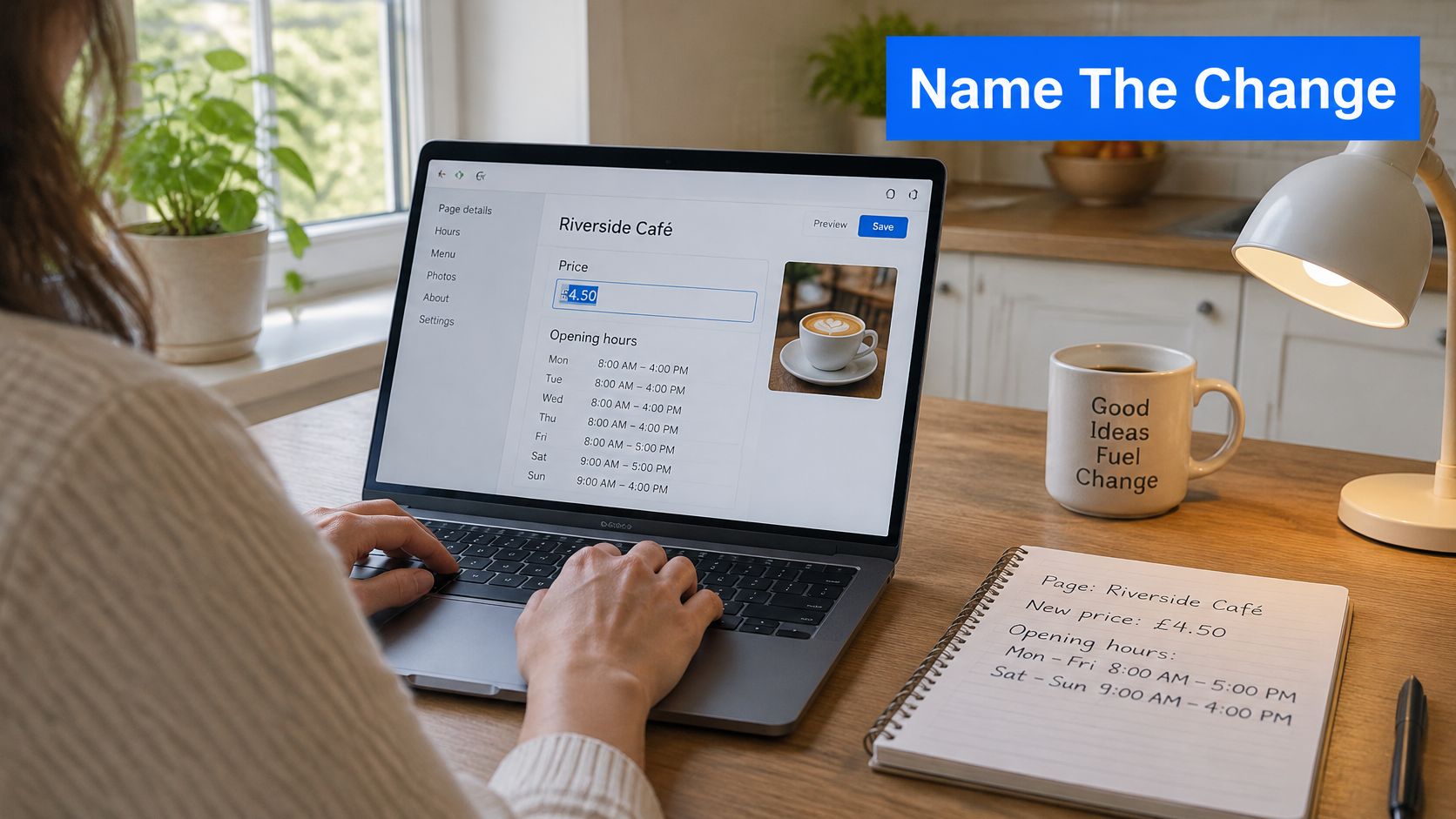
Six steps from a plain instruction to a live page
- Name the page and describe the change in plain English, including the exact price, hour or phone number. "Update the services section" produces a vague edit; "change the Saturday closing time from 4pm to 1pm on the contact page" produces a clean one.
- Read only the parts that differ, shown old against new, and discard anything you didn't ask for. Editors that return a whole rewritten page force you to hunt for changes, and that is where mistakes slip through.
- Check the structure before accepting. Heading order still makes sense, internal links point at live pages, the phone number and email are right, and any new image carries a short text alternative.
- Stop if the page was changed another way since your last publish. Choose whether to keep that work rather than overwriting it. Overwriting a colleague's correction is a common way an owner-led edit undoes a good change.
- Publish, then open the live page on your phone and confirm the sentence you meant is the one visitors see. If the site rebuild fails, nothing is published and the live site stays exactly as it was, which is the behaviour worth insisting on.
- Write the date, the URL and a one-line note describing what changed, so the edit can be reversed later without guesswork.
That rollback habit is not bureaucracy. UK Government monitoring found 26,171 accessibility issues across 1,203 public-sector websites and apps between January 2022 and September 2024, and only 55.3% were fixed during the monitoring process (accessibility monitoring report). Sites with no record of what changed and no way back accumulate defects they never notice.
Why the diff beats the batch
Saving factual fixes for a monthly session guarantees a period where the site is knowingly wrong. If the price is wrong, it is wrong today, and a customer who calls expecting the old figure is a complaint you created. Ordinary text changes need no developer, and a quiet month is not evidence that forms and links are still sound.
Practical rule: if the change can be explained in one sentence to a colleague, it doesn't need a developer. If it needs a diagram, it's new code and needs review.
Tools that handle this well show only the changed parts, old against new, and let the owner accept or discard them, then hold a new kind of page for review before it goes live. When a change does touch deployment, such as a new template or a staging push, the GoReplay deployment checklist is a sensible sequence to run through before it reaches the live site.
Checks That Stop a Small Edit Becoming a Barrier
An annual accessibility audit is too slow to be useful for a site its owner edits. A new photo, a brighter button, a PDF menu or a promotional block can add a barrier the same afternoon it is published, and nobody will notice for eleven months.
The scale of the problem is well documented. The 2025 WebAIM Million analysis found detectable WCAG failures on 94.8% of the world's top one million home pages, with low-contrast text affecting 79.1% and missing meaningful alternative text affecting 55.5% (2025 WebAIM Million analysis). That dataset is global rather than UK-only, but the underlying duty is local: the Equality Act 2010 can require service providers to make reasonable adjustments for disabled users.
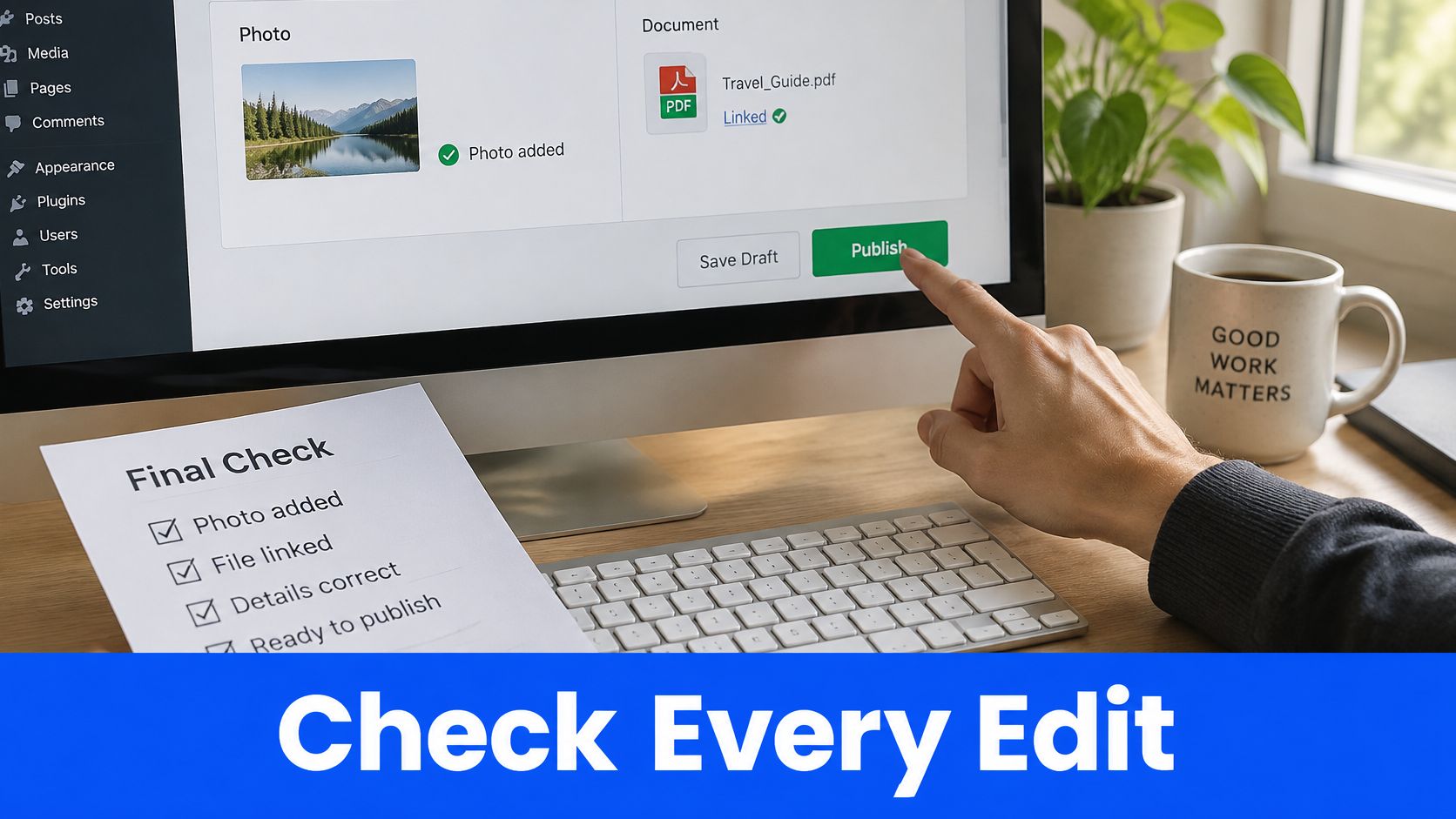
Seven checks before you press publish
- Heading order still reads as an outline, without skipping a level because a heading looked better in a different size.
- Keyboard focus is visible when you tab through the page, so someone without a mouse can see where they are.
- Link text says where the link goes. "Click here" tells a screen reader user nothing.
- Contrast between text and background is strong enough to read in daylight on a phone.
- Alternative text describes any image that carries meaning, and is left empty for decoration.
- Form labels sit on every field, with error messages that explain what to fix rather than just flagging a problem.
- Mobile rendering holds together at a narrow width, with no sideways scrolling to reach the enquiry button.
Do those seven on the change in front of you. Then, once a quarter and again whenever the template or navigation changes, walk the main journeys on a phone: find the service, read the price, send an enquiry. Record the date, the URL, what was checked and whether anything was retested.
If a layout change is on the table, a blogger's guide to mobile-friendly layouts explains how responsive breakpoints behave before you commit to one. Treat accessibility as part of publishing, not a separate compliance project, and a quiet quarter stops being mistaken for a healthy site.
A Weekly Pass for Search and Assistant Answers
Each Monday, pull the last 28 days for each important page: appearances in Google, clicks, average position, the searches that brought people in, plus visits and enquiries. A fixed day keeps the comparison honest, and the four-week window smooths the noise of a quiet weekend or a bank holiday. In a typical week the outcome is one title rewrite, one corrected answer and no new pages at all.
Fix the listing before the page
Pick one page where appearances are steady but clicks are weak. Rewrite only the title and meta description so they match the query people typed. Leave the page body alone until you have seen whether the listing change worked.
One assistant question, one conversion change
Then ask one question a customer would put to an AI assistant. Whether you cover a particular town. What a first visit costs. Whether you take urgent call-outs at weekends. If the public answer is wrong, thin or silent about a service you really offer, fix the page that should be answering it.
Don't add a page unless people already search for a service you offer and nothing on the site answers it. A page written to fill a gap nobody searches for is a monthly maintenance cost with no return. For the mechanics of being named correctly in those summaries, this guide to generative engine optimisation covers how answers get assembled.
Run one conversion change at a time: a clearer phone number in the header, a shorter enquiry form, a plain statement of what happens after someone gets in touch. Leave it in place. About 28 days after a search change goes live, compare that page's clicks and appearances with the 28 days before, and keep the change only if the numbers improved or enquiries held steady.
One change, one reading. Two edits shipped together tell you nothing about which one worked.
If nothing moved in four weeks, leave the rest of the site alone until the monthly check. Inventing a second tweak to rescue the first is how sites end up with three competing calls to action and no idea which one converts.
Write Your Three Speeds This Week
Start with the next fact that could cost you a customer. A clinic changes its Saturday hours, so the owner types the update, checks the old line against the new one, approves the difference and publishes. The job ends by opening the live page on a phone and recording the date, so the edit can be traced or reversed. The speed follows the cost of being wrong.
Set three reminders under those headings. Same day covers prices, opening hours, phone number, staff, services, credentials, policies, and security or platform fixes. Monthly is detection: test the enquiry form, confirm a backup restores, look for broken links, find titles with appearances but few clicks, and check what assistants say about the business. Quarterly is the content pass: walk the pages and enquiry journey on a phone, from the landing page to the sent message. Match your firm to one row in the schedules table and put each reminder in the calendar.
Fix any price, hour or phone number that is already wrong before scheduling anything else. The calendar can wait because the customer is already reading the page. Nothing goes live until the owner approves it.
If outside help is on the table, weigh who will carry the routine after launch. A website builder suits an owner who will maintain templates and wants a low monthly cost. An agency suits a rebuild with a fixed scope and launch date. A specialist review suits a site that already works but has drifted on search basics, mobile speed or the way assistants describe the business. Choose the option that leaves the owner able to correct a wrong fact the same day.
Operosus is a UK web company that builds small business websites by hand and keeps improving them after launch, with an in-house editor that lets an owner type a change, see exactly what will differ and approve it before anything goes live. That matches the schedule: owner-controlled same-day fixes, a weekly AI growth team reviewing search, analytics and enquiry data, and changes measured by comparing each page's clicks and appearances 28 days after publication with the 28 days before. Book your free website review to see what it checks.
