How long does it take to build a website, and how long before it starts bringing in useful enquiries? Those are separate timelines. The build calendar ends when the site is live and stable; becoming useful takes longer and depends on what happens after launch.
The owner's readiness is often the biggest influence on the build schedule. Copy, images, hosting access and clear approvals need to arrive when they are requested. Missing material or late decisions can hold up a project even when the site itself is straightforward.
A site can launch on schedule and still need time to prove its value. Keep the two clocks separate when setting expectations: one tracks the work required to build and launch; the other tracks whether the live site is attracting attention and enquiries.
Table of Contents
Typical Build Times by Site Size
How much functionality does the site need? Page count is a useful starting point, but shops and custom applications also require transaction flows, data handling and integrations. The ranges below are typical planning benchmarks, not promises for a particular project.
| Website type |
Typical build time |
What it usually includes |
| Simple brochure site |
2 to 4 weeks |
Around five pages, a contact form, limited functionality |
| Standard business website |
6 to 10 weeks |
8 to 20 pages, bespoke design, service pages, blog, enquiry forms, basic search setup |
| E-commerce site |
8 to 14 weeks |
Product catalogue, payment set-up, shop pages alongside the standard business content |
| Custom web application |
16 weeks or more |
User accounts, business rules, integrations and bespoke functionality |
What moves a project up a band
A five-page information site with one contact form fits the brochure-site range if its text and photographs are ready at the start. A larger business site may need service pages, a blog, enquiry forms and basic search setup.
Shops have more to prepare: product information, payment handling, delivery emails, refund wording and stock rules. Custom applications add accounts, business rules and connections to systems that already hold customer data. A multi-location business with many similar pages may need more planning than its page count suggests.
A five-minute self-test
Before asking for a quote, make a short project outline:
- Count the pages the site needs at launch.
- List the features in plain language, such as a shop, booking, member accounts, a second language or a directory search.
- Choose the closest table row as a starting point, then allow time for decisions and approvals.
For a quick check, ask whether you could supply the content and approve the page list now. If not, owner readiness may affect the schedule more than the site's size. Missing copy, changing scope and slow sign-off all extend delivery, even when the initial estimate is clear.
The Stages From Brief to Live Site
How long does a website take from the first conversation to launch? The answer depends on how quickly each stage gets a clear decision. A build calendar is a sequence of approvals as well as production work, so waiting for a sign-off can hold up everything that follows.

A typical project moves through five stages: discovery, design, development, testing, then launch and stabilisation. Each stage has an output and an owner decision that lets the work proceed.
- Discovery, 2 to 4 weeks. Settle the site's goal, page list and structure. The owner agrees the scope so new pages do not keep entering the project after design starts.
- Design, 2 to 4 weeks. Prepare mobile and desktop layouts for the main page types, such as the home, service, listing and contact pages. The owner approves the layouts before development begins.
- Development, 8 to 12 weeks. Build the pages and working forms, along with search basics such as page titles, descriptions, structured data and a sitemap. The owner reviews pages as they are ready.
- Testing, 1 to 2 weeks. Check forms, redirects, links and devices, then fix issues. The owner confirms which outstanding issues must be resolved before launch.
- Launch and stabilisation, 1 to 2 weeks. Put the approved site live and monitor for errors. The owner gives the go-live approval; nothing goes live on a client's website until the client says so.
| Stage |
Typical duration |
Output |
Owner decision |
| Discovery |
2 to 4 weeks |
Goals, page list and structure |
Agree page list and structure |
| Design |
2 to 4 weeks |
Mobile and desktop layouts |
Approve layouts before build |
| Development |
8 to 12 weeks |
Pages, forms and search basics |
Review staged pages |
| Testing |
1 to 2 weeks |
Forms, redirects, links and devices checked |
Confirm fixes |
| Launch and stabilisation |
1 to 2 weeks |
Live site with error monitoring |
Give go-live approval |
| Phase total |
14 to 24 weeks |
Sum of the five ranges |
Hold sign-off dates in the calendar |
The ranges add up to 14 to 24 weeks when each stage runs in sequence. Some work can overlap, but overlapping stages leave less room for late decisions or changes. Use the phase total as a planning guide, then agree the actual schedule and approval dates before work starts.
A site intended to turn site visitors into paid bookings needs its booking path included in development and testing. It has more steps to check than a basic contact form.
What Speeds Up and What Slows Delivery
Late or missing copy and images cause more delay than any technical problem. The fix is unglamorous and entirely within the owner's control: supply text, photographs, service lists, credentials and locations during discovery week, before anyone opens a layout file.
The second most common slowdown is approval spread across several people. Three reviewers commenting in separate rounds can double a design phase. Name one decision owner, give them the authority to sign off, and run a single consolidated feedback round per stage.
Blockers to clear before signing anything
- Domain and hosting access. Whoever holds the login controls the launch date.
- Brand files. Logos in vector format, fonts, colour values, any photography the business owns.
- Access to the existing site. Needed to inventory old URLs and plan redirects.
- Legal copy. Privacy notice, terms, and any regulated wording the sector requires.
- A named approver. One person, with a stated response time.
- Third-party accounts. Booking, payment or CRM access, set up in a test state rather than on launch week.
Each dependency can extend the critical path. GOV.UK's Service Manual treats technology choice, development, integration, hosting, testing, security and maintenance as separate parts of delivering a service, which is a useful model for a small site too (GOV.UK Service Manual). A contact form alone may need validation, spam resistance, email delivery checks, privacy wording and failure handling. A migration needs URL mapping and redirects. Analytics and structured data need implementing and then verifying that they fire.
Practical rule: reducing unresolved dependencies shortens a schedule far more reliably than adding another developer to it.
A small hand-built site with clear scope, supplied content, no integrations and fast approvals can launch in a few weeks. The speed comes from clearing those items, not from skipping them. Scope discipline does the rest: keep the first version to the pages that earn enquiries, and write the pages you are unsure about into a second phase with its own date.
Mapping the decisions before a quote is requested is the whole point of a written website brief, because a provider can only estimate what has been described.
Testing and Accessibility Checks That Add Time
Accessibility and functional checks need time in the schedule because they cover more than whether a page loads. A form may look correct but still have unclear labels; a menu may work with a mouse but trap keyboard users.
The GOV.UK Service Manual describes accessibility expectations for public services, including WCAG 2.2 Level AA and testing with disabled people (understanding WCAG 2.2). For commercial websites, the Equality Act 2010 is relevant to reasonable adjustments for disabled customers. In practice, that makes readable contrast, keyboard access and properly labelled forms important checks.
The gates, in the order they happen
- Semantic HTML and keyboard checks during implementation, while markup is straightforward to change.
- Automated scans on each page template, to catch detectable accessibility failures beyond the homepage.
- Manual screen reader testing for reading order, focus behaviour and confusing labels.
- Browser and device checks, including zoom and mobile layouts.
- Fixes and regression testing, to confirm that a correction has not broken another page or interaction.
Testing starts as features are built and repeats when they change. Forms, menus, search boxes, animations and integrations each have different states to check. Later edits to copy or layout can affect accessibility, mobile display and links, so they may require another pass. A structured 99tests application testing workflow can help teams organise those checks.
Before agreeing a schedule, ask whether accessibility testing is included, when it starts, and who is responsible for fixing issues. These answers clarify how much review time the build needs.
The website launch checklist makes the final checks and approvals visible before the site goes live.
Three Realistic Timelines for Different Sites
The same brief can land in different bands depending on what is in scope and how quickly the owner replies. Three worked examples show how the arithmetic changes.
The one-area plumber. Five pages: home, services, about, a gallery, contact. Photographs and service descriptions arrive in the first week, there is one enquiry form with no integrations, and no content in a second language. This is the brochure band, and the calendar is dominated by approval speed rather than build effort. If the owner returns layout comments within two working days, the site is live inside a month. If comments come back in three weeks, so does the site.
The dental practice. Around fifteen pages: treatment pages, team biographies, a booking enquiry form, a blog and a bespoke design that has to look clinical rather than cosy. This sits in the standard band. The pace is not set by design or code, it is set by how fast the practice signs off clinical wording and team bios, because nobody wants a treatment claim approved by guesswork. Two review rounds on copy are normal here, and the practice that assigns one approver finishes visibly sooner than the one where the principal, the practice manager and the marketing freelancer all comment separately.
The regional provider with locations. Dozens of near-identical location pages, a migration from an existing site, and a second language launching alongside the first. This runs beyond the standard band, and the schedule is set in discovery by counting the location pages, mapping old URLs to new ones and agreeing which language goes live first. Migration alone adds an inventory, a redirect list, testing and post-launch monitoring, and the second language multiplies every page that needs review.
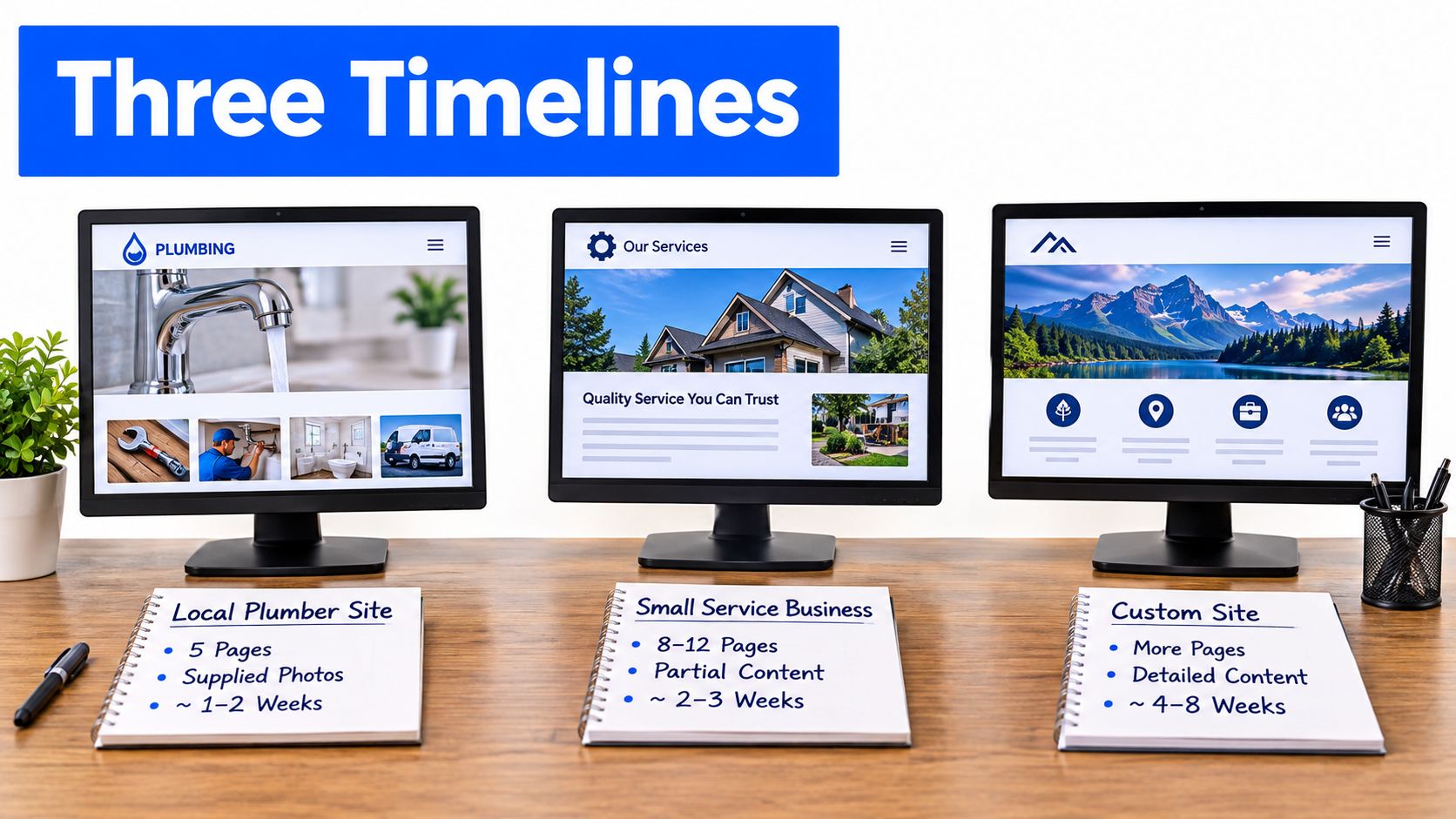
The lesson across all three is that page count is a weak predictor on its own. Features, migration and the owner's response time decide the outcome, and the honest answer to how long does it take to build a website always includes a clause about what the owner supplies and when.
Why a Live Site Is Not Yet a Working Site
A site can be live and technically sound while search engines are still finding and indexing its pages. Useful traffic and enquiries take longer to develop, so separate the build calendar from the time it takes the site to become useful to customers.
The bar is rising as more businesses establish an online presence. In the 2026 UK Business Data Survey, 78% of UK businesses reported having a website in 2025 to 2026, up from 68% in 2023 to 2024, with 84% of micro businesses and 76% of sole traders (UK Business Data Survey 2026). A published site still needs to be found, earn attention and give visitors a clear route to enquire.

Three timelines, not one
- Build and approval. Discovery to a stable live site, measured in weeks and shaped by the decisions and materials the owner supplies on time.
- Discovery and indexing. Search engines find and read the pages, then begin showing them for relevant searches.
- Optimisation. Page titles, descriptions, local details and enquiry paths can be improved as search appearances and clicks accumulate.
The owner's readiness still matters after publication. A new site, or one with little presence in Google, has limited search data to assess in its first few weeks. Once data is available, page clicks and search appearances can help show which changes merit attention.
For trades and professional practices, the practical measure is whether the site attracts qualified enquiries. Check that redirects work, forms send correctly, backups are in place and someone knows what to do if a form stops working. A website launch checklist for Australian SMBs can help owners review those production details alongside the design.
How Operosus Schedules Builds and Handovers
The handover should leave the owner with a live site that can keep working without the editing tool. Operosus builds small business websites by hand, and nothing goes live until the client approves it. That makes approval part of the schedule: delays in reviewing pages can push back launch.
The build starts with a short interview. Builds start at £500 as a one-off price, with the exact price confirmed before work starts. The build includes moving existing pages across with redirects so existing links keep landing on the right pages, plus search basics: page titles, descriptions, structured data and a sitemap.
At handover, the owner should know which pages are live and how to make future changes. With Operosus, owners describe a change in plain English, review exactly what will change, then press Publish. Each change is checked, and the site is rebuilt before it goes live. If a build fails, nothing is published; the live site does not depend on the editor to stay up.
After launch, the weekly improvement programme begins. Its work builds on the measurement cycle described above. The Operosus website build and handover process explains how the service works.
Confirm Your Timeline Before You Commit
Four steps this week will turn a vague hope into a date you can hold someone to.
- Write down the one thing the site has to do. More quote requests from a named area, more bookings for one service, fewer phone calls asking for opening hours. One job, written down.
- Place the project in a band using the page count and feature list from the self-test above, then add a margin for approval rounds.
- Ask for a written timeline with stages, decision owners and the dates you must respond by. A provider who cannot produce one is estimating from memory.
- Ask what the quote covers for testing, accessibility and redirects. The answer tells you more about the final cost than the headline figure does.
For a quote, the useful starting point is telling Operosus what the site needs to do. The reply sets out what would be built and what it would cost, and a simple one-page site may well suit a website builder better, which is worth saying plainly.
Before any of that, run the free website review. It takes about 30 seconds: paste the web address and see the site's speed on a phone, its search basics, the searches it already appears for, and what an AI assistant tells customers about the business. Those four outputs usually settle which band the project belongs in.
Operosus builds small business websites by hand, around how customers search and decide, and then keeps improving them after launch with a weekly team working on search visibility, conversions and AI answers. If the question you started with was how long does it take to build a website, the useful next question is what your site should be doing twelve months from now, and that is the conversation worth having. Visit Operosus to see how the build and the ongoing work fit together.
